QR Code Scanner (Android)
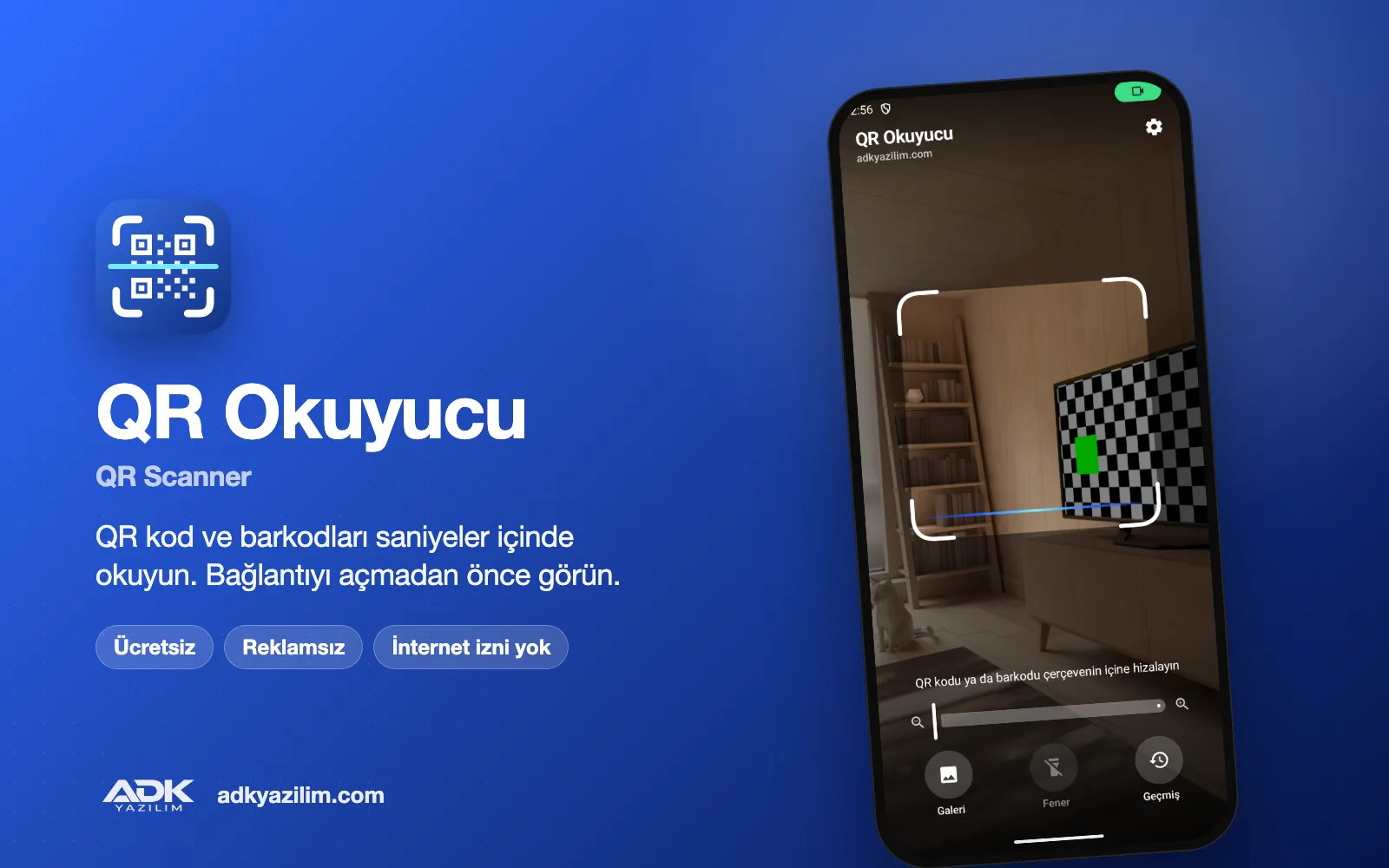
QR Scanner is a free Android app that reads QR codes and barcodes with your phone camera in seconds. Whether it is a menu code, a barcode on a product, a QR on a business card or the Wi-Fi code in a café, just line it up inside the frame. You can also read codes saved as screenshots or photos by picking them from your gallery.
The app shows no adverts, needs no account and has no internet permission. Codes are decoded on the phone, camera images are never saved and your scan history stays on this phone only.
What can you do?
Read QR codes and barcodes
It reads QR, Data Matrix, Aztec and PDF417 codes as well as EAN-13, EAN-8, UPC, Code 128, Code 39, Code 93, ITF and Codabar barcodes. It does not matter whether you hold a barcode horizontally or vertically, and light QR codes on a dark background are recognised too. Pinch or use the slider to zoom, tap to focus and switch on the torch in the dark.
Read from your gallery or a shared image
Pick an image with the gallery button, or choose "Share → QR Scanner" in another app, and the code in the image is read. Because the system photo picker is used, the app can only see the image you choose.
See links before they open
Links never open by themselves. You first see the domain and the full address. Warnings appear for unencrypted (http) links, shortened links, addresses with special characters that can imitate well-known sites, links that point to a bare IP address and links containing an @ sign. This small check helps a lot against fake QR code scams.
Wi-Fi, business cards and other code types
For Wi-Fi codes you see the network name, security type and a hidden password; on Android 11 and later you join the network with one tap, and on older versions the password is copied and Wi-Fi settings open. vCard and MeCard business cards can be added to your contacts, and email, phone, SMS, location and calendar event codes open in the matching app. Product barcodes can be searched on the web.
Scan history and favourites
Scanned codes are listed day by day. You can search your history, mark important entries as favourites, swipe to delete and share the history as a CSV file. You can also switch history off completely.
How to use it
- Download and install the APK; your phone may ask you to allow installs from unknown sources.
- Open the app and allow camera access.
- Line the code up inside the frame; a vibration tells you it has been read.
- On the result screen, open the link, join the network, copy or share.
Privacy and permissions
The app only uses the camera and vibration permissions. It has no internet, location, contacts or storage permission; even when you add a business card, the phone’s own contact screen opens and you save it yourself. Scan history is excluded from cloud backups. There are no adverts, no analytics tools and no selling of data.
System requirements
Any phone or tablet with Android 8.0 or later. The app is available in 19 languages; it follows your phone’s language automatically and you can change it in the settings.
If a page opened from a QR code asks for a password, card or identity details, always check the address bar. The warnings shown by the app make this check easier.
If your business needs a QR or barcode app with your own branding, a stock-taking or an inventory solution, you can request a quote from ADK Yazılım.
Wichtigste Funktionen
- QR, Data Matrix, Aztec, PDF417 and all common barcodes
- Read from your gallery or a shared image
- Address and safety warnings before a link opens
- Join Wi-Fi networks with one tap (Android 11+)
- Add business cards to contacts and events to your calendar
- Torch, zoom and tap to focus
- Scan history with search and favourites, CSV sharing
- 19 languages, light and dark theme
- No internet permission, camera images are never saved
- Free, ad-free and no account needed