Export Contacts to Excel
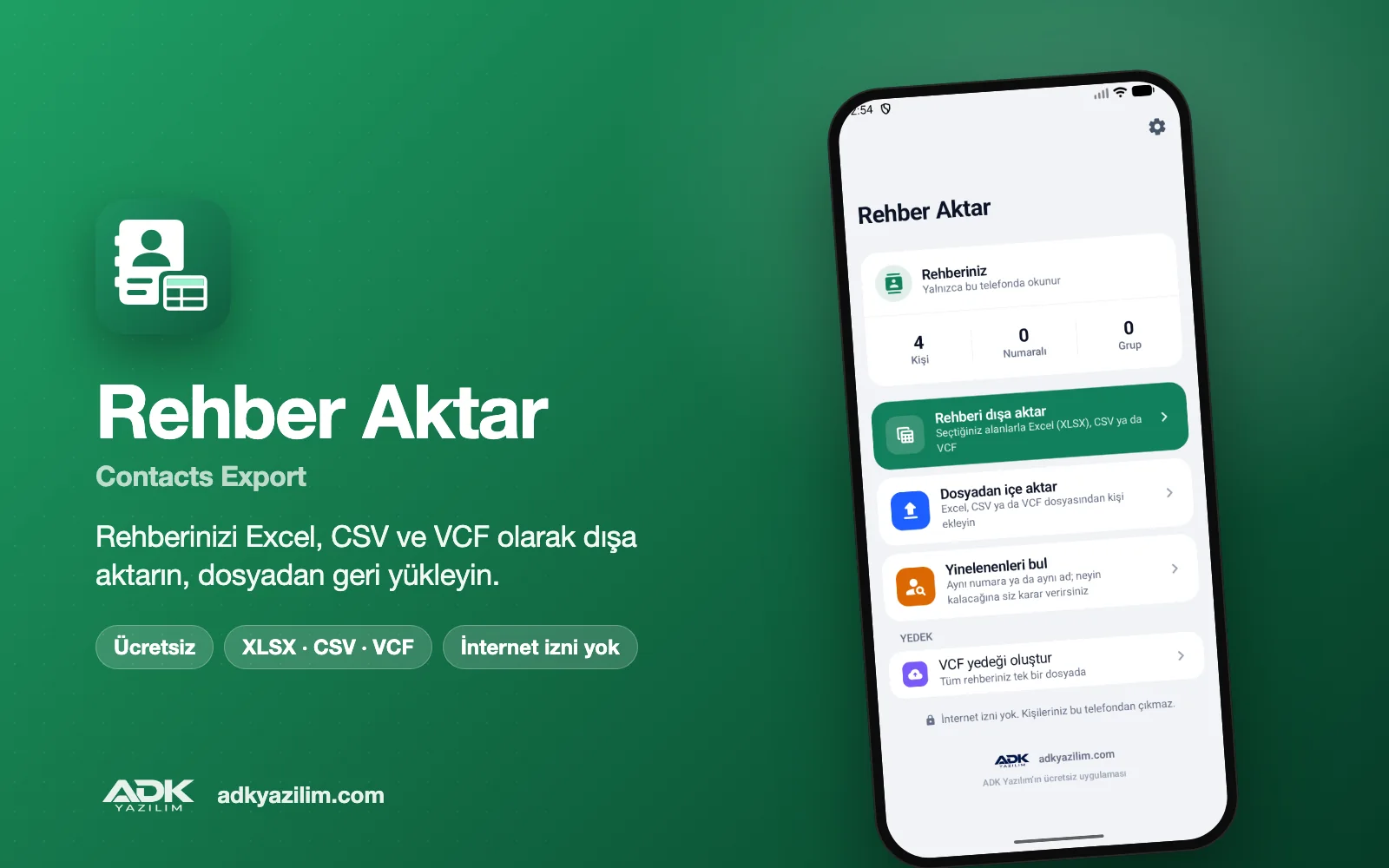
Export contacts to Excel in a few taps with this free Android app, which turns the contacts on your phone into a tidy spreadsheet. You decide which fields go into the file, such as name, phone numbers, email, company, notes and birthday, and the result is saved as XLSX, CSV or VCF.
It is useful when you are changing phones, when you want to tidy up a customer list on your computer or when you simply want a backup copy of your address book. The app has no adverts, does not ask you to create an account and has no internet permission, so your contacts are never sent to any server.
What can you do?
Export your contacts in three formats
An XLSX file opens directly in Excel and similar spreadsheet programs, with each field in its own column. A CSV file is ideal for importing into other software or a CRM system. VCF (vCard) is the standard way to move contacts, exactly as they are, to another phone or an email account.
Choose fields and filter by group
Do you only need names and mobile numbers, or do you also want email, company, notes and birthdays? Tick the fields you want and leave the rest out of the file. If your address book uses groups such as "Customers" or "Family", you can export just the group you select. For contacts with several numbers, each number gets its own column.
Restore contacts from an Excel or CSV file
You can import a spreadsheet you have edited on your computer, or one you received from elsewhere, back into your contacts. The app tries to match the columns automatically and lets you assign any that it cannot match. Before importing, a preview shows how many contacts will be added, and you choose which account they are saved to (the phone or a Google account).
Find duplicate contacts
The app lists contacts saved more than once with the same number or the same name. You decide which entry to keep; nothing is deleted or merged without your confirmation.
Share the file
Use your phone's share menu to send the finished file by email, to Google Drive, to WhatsApp or to any other app. Sharing only happens when you start it, and the file goes only to the app you pick.
How to use it
- Open the app and allow access to your contacts.
- Choose the file format (XLSX, CSV or VCF) and the fields you want to export.
- Optionally select a group to narrow down the list.
- Tap "Export"; the file is saved to your phone's Downloads folder.
- Share the file, or use "Import from file" to restore contacts.
Privacy and permissions
The app only asks for permission to read and write contacts; write access is used solely for restoring contacts and tidying up duplicates. It has no internet permission, so your contacts cannot leave the phone. The files it creates stay in your phone's storage. There are no adverts, no analytics tools and no selling of data.
The details in your address book are other people's personal data. When you share the file or import it into another system, it is your responsibility to follow the data protection rules that apply to you and to keep the file somewhere secure.
System requirements
Any phone or tablet running Android 8.0 or later will do. To open XLSX files on your computer you can use Excel or any other spreadsheet program.
Before restoring contacts from a file, we recommend making a VCF backup of your current address book. If anything goes wrong, you can then put everything back with a single file.
If you need a tailored version, for example with your own branding, a direct CRM export or extra fields, you can request a quote from ADK Yazılım.
Principais recursos
- Export contacts as XLSX, CSV and VCF
- Choose fields: name, numbers, email, company, notes and birthday
- Filter by contact group
- Restore contacts from an Excel or CSV file
- Column matching and a preview before importing
- Find duplicate contacts and tidy them up with your approval
- Share the file by email, Google Drive or WhatsApp
- No internet permission; contacts never leave the phone
- Free, ad-free and no account needed