
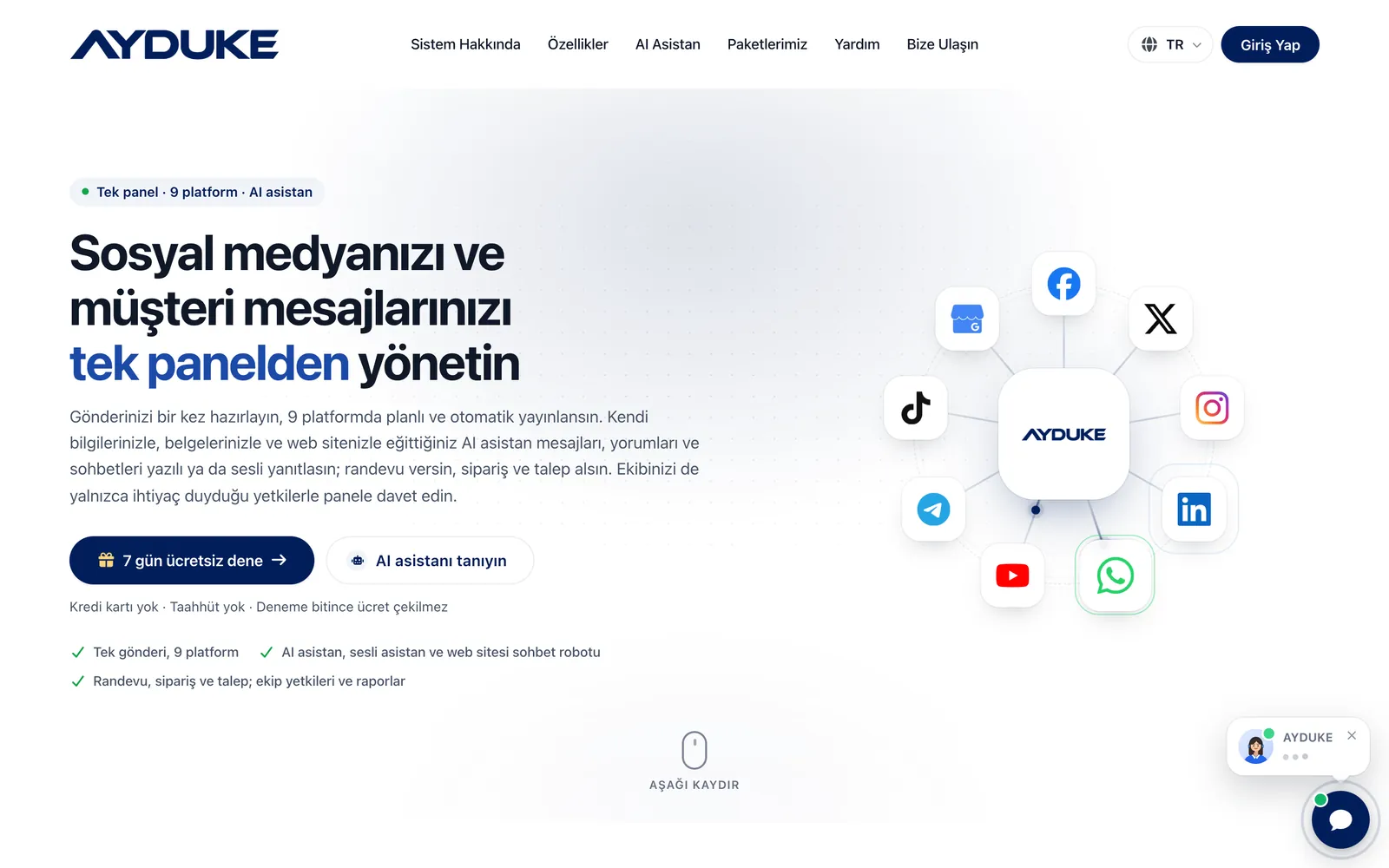
AYDUKE is a social media management panel and AI-powered chatbot that lets businesses and agencies run their social accounts and customer messages from one place. You prepare a post once and it publishes itself at the day and time you choose on the accounts you select across Facebook, X (Twitter), Instagram, LinkedIn, WhatsApp, YouTube, Telegram, TikTok and Google My Business.
On social media, the real work starts after you post. Direct messages, comments and questions from your website end up scattered across different apps, and every message left unanswered after hours is a customer lost. AYDUKE brings these channels into a single inbox. An AI assistant that you train with your business information, frequently asked questions, products and rules replies in your own tone, in text or by voice, and takes bookings, orders and service requests straight from the chat.
Content, support and management staff each get their own permissions, so you invite your agency, staff or accountant only to the screens they need. Reports show publishing success rates and the topic and sentiment of your conversations, and you can download your data as XLSX or CSV. Before choosing a plan, you can try everything free for 7 days.
Who is this social media management panel for?
- Local businesses: Hair and beauty salons, clinics, restaurants, cafés and shops that want to post regularly and answer messages outside working hours as well.
- Social media agencies: Agencies managing several brands that want to give team members brand-level permissions. Someone on several brand teams signs in with one password and switches between accounts.
- E-commerce and retail: Sellers who want to teach the chatbot their catalogue, answer repetitive questions such as “How much is delivery?” automatically and take orders in the chat.
- Appointment-based businesses: Hairdressers, barbers, spas, clinics, training centres, consultancies and estate agents that want customers to book from the chat against their real calendar.
- Service and delivery companies: Water and gas suppliers, cleaning, roadside assistance, technical service, removals and renovation firms that want requests with a date, address and description.
What makes AYDUKE different
One post, 9 platforms
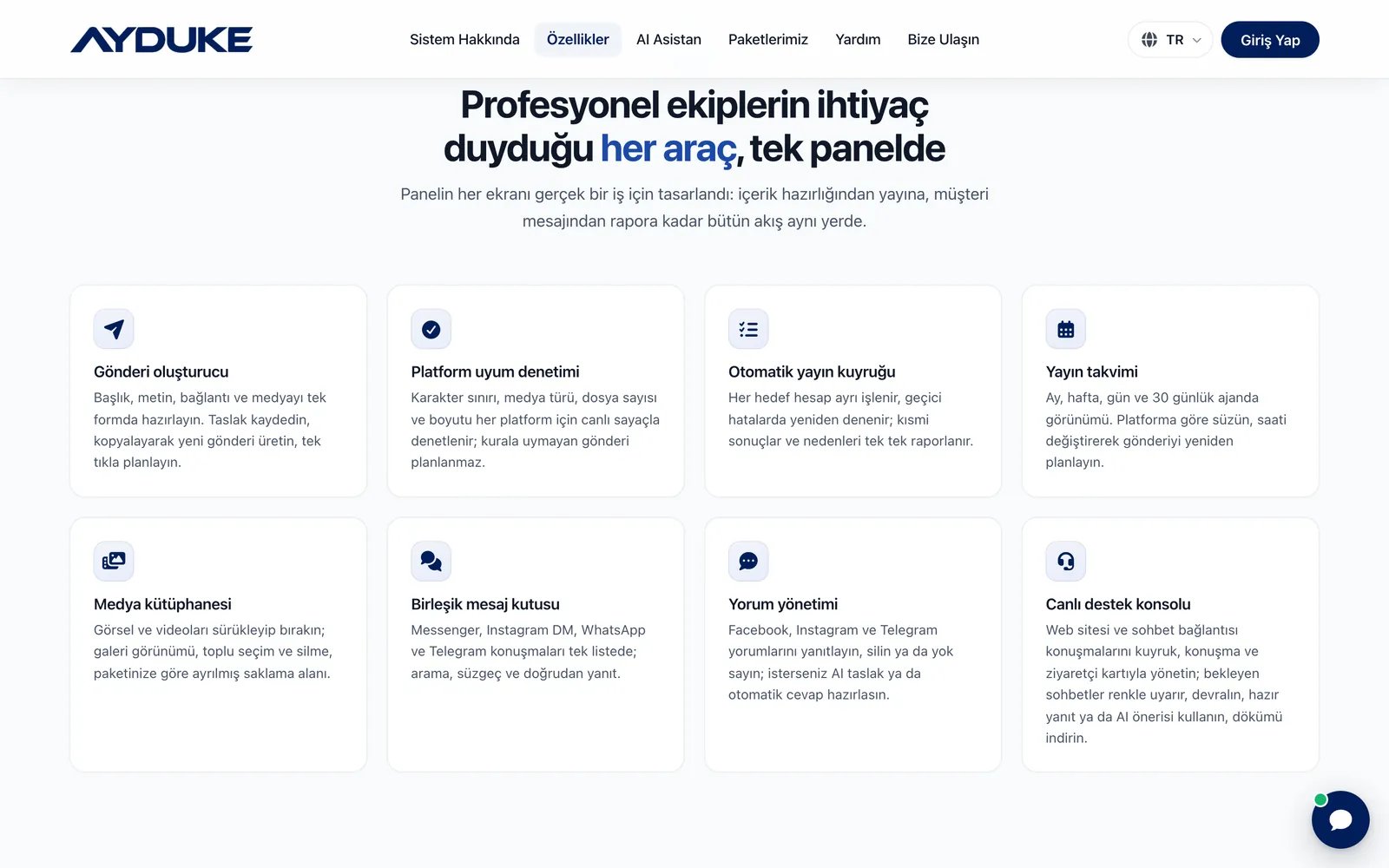
You prepare the title, text, link and media in a single form. Character limits, media type, number of files and file size are checked for each platform with live counters, and a post that breaks a rule cannot be scheduled. No more “this image was rejected” surprises at publishing time.
An AI assistant that speaks from your information
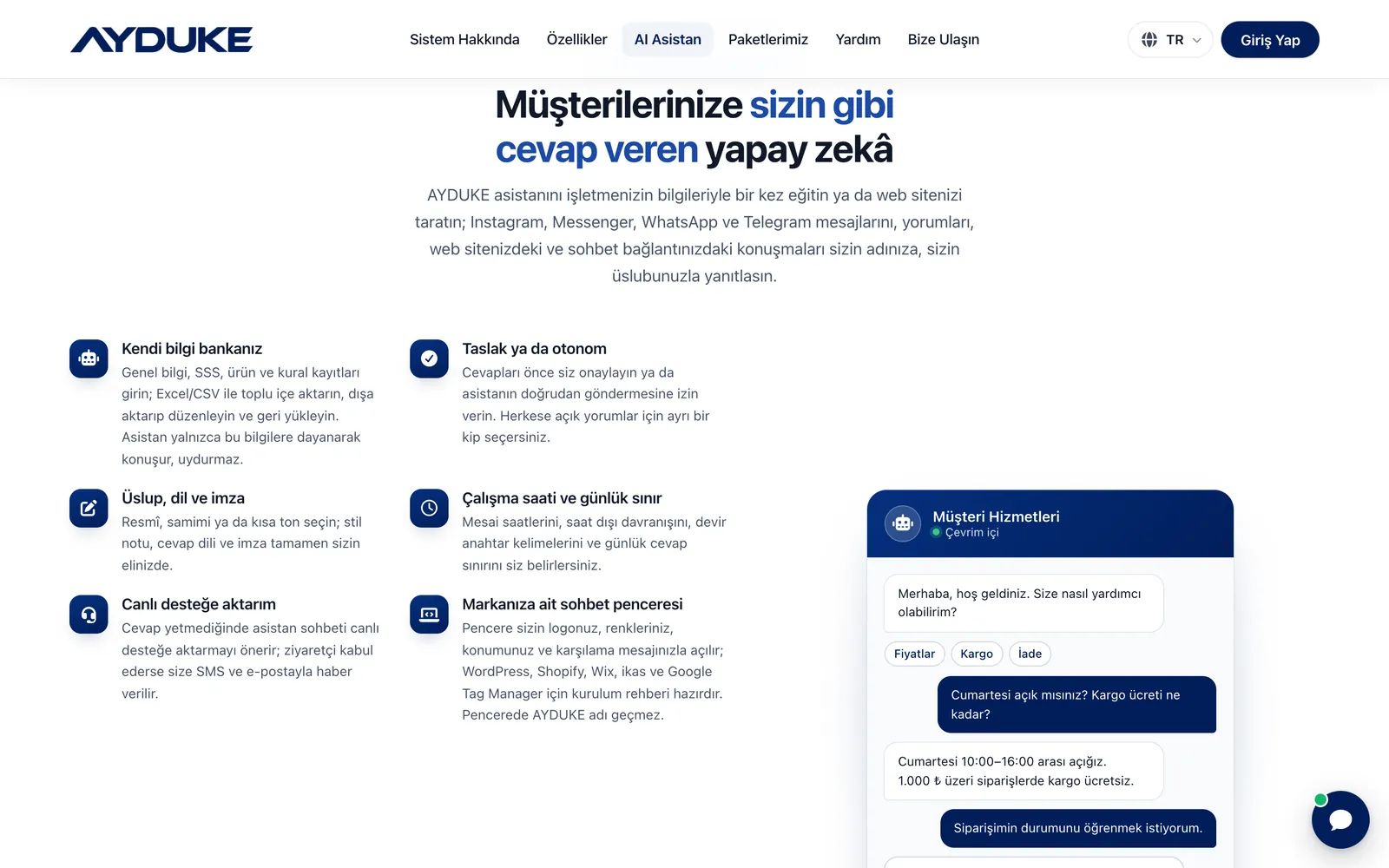
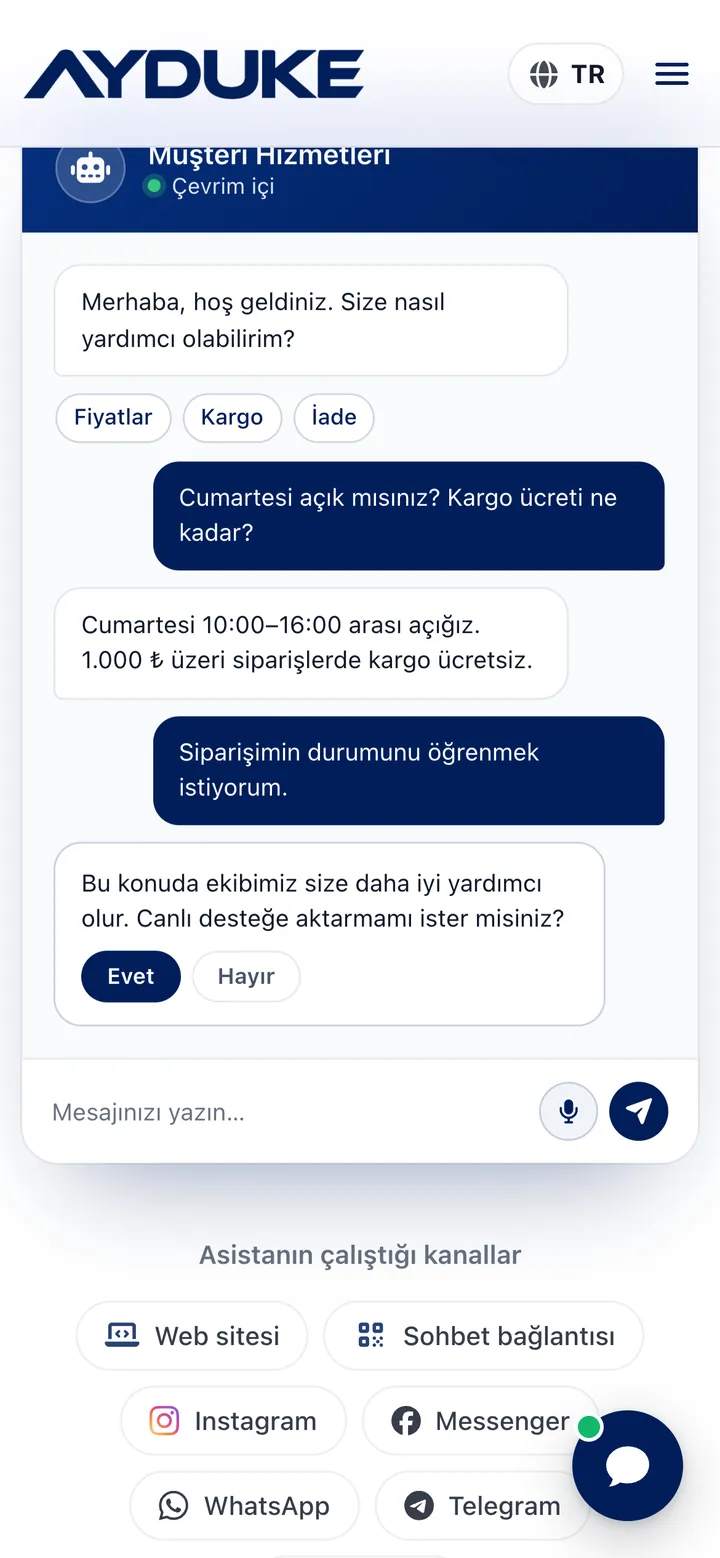
The assistant answers only from the information, FAQ, product and rule records you enter. It does not make things up; when it does not know, it offers to hand the chat over to you. In draft mode you approve replies, in autonomous mode it sends them directly. Public comments have a separate mode that is off by default.
Bookings, orders and requests in the same chat
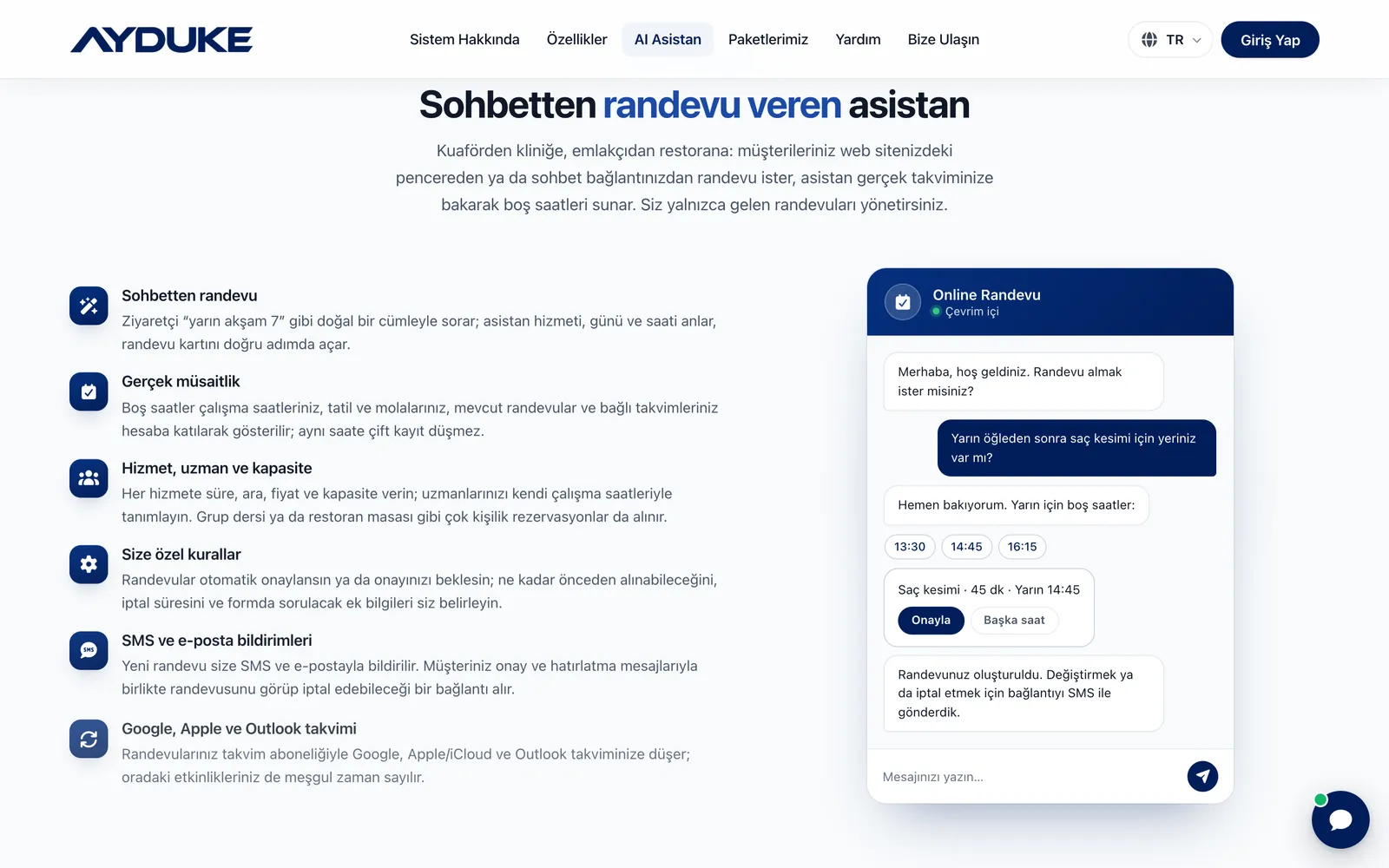
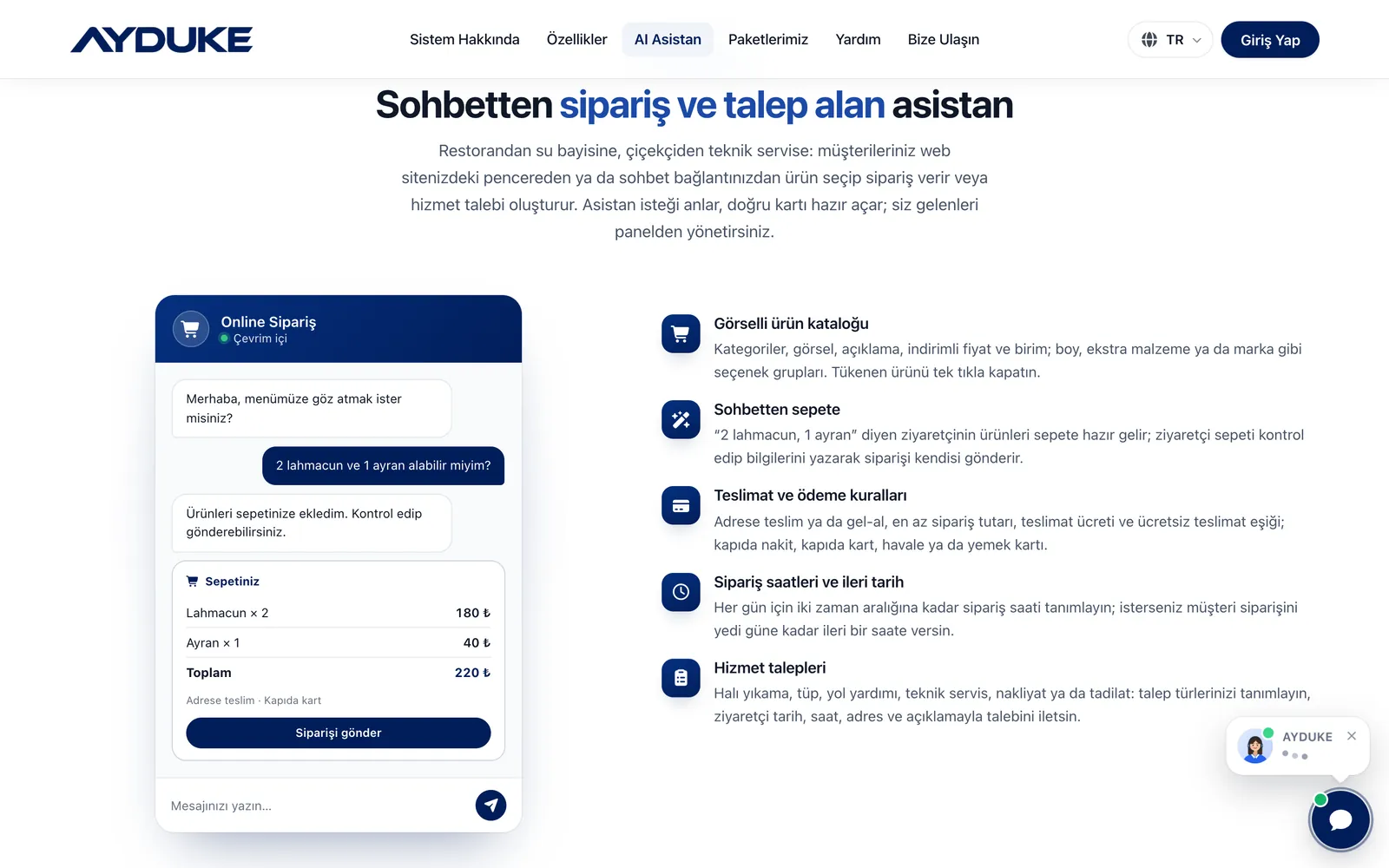
A visitor asks in natural language, such as “tomorrow at 7 pm”, and the system shows free slots from your real calendar. A visitor who says “2 lahmacun and 1 ayran” finds the items already in the basket. The assistant never invents prices: totals are always calculated on the server from your catalogue.
Team permissions module by module
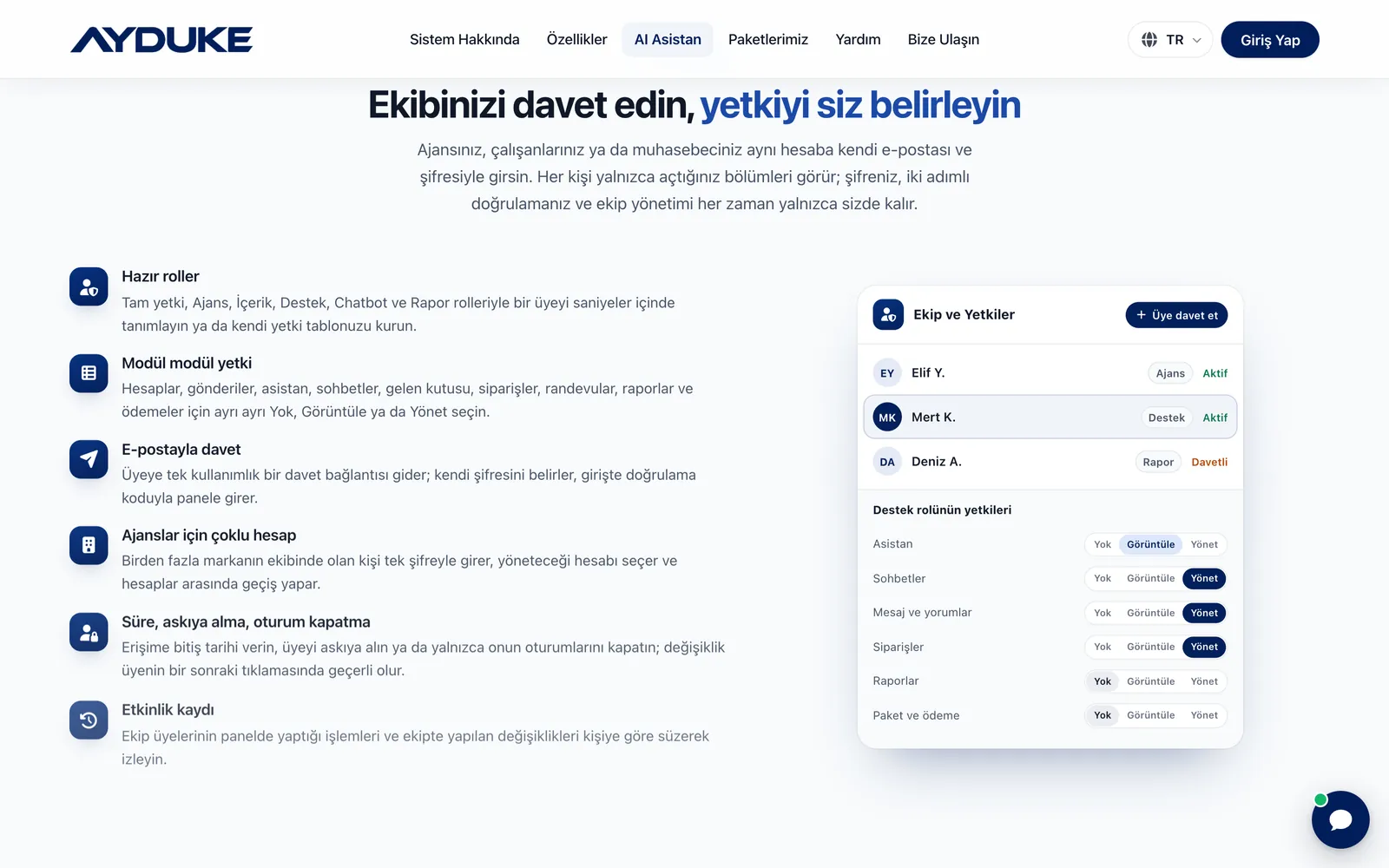
You add team members with ready-made roles or by choosing None, View or Manage for each module. Permissions are not just hidden in the menu but checked on the server with every request, so a member who types an address by hand still cannot open a screen that is not theirs.
A chat window in your own brand
The website chat window opens with your logo, colours, position and welcome message. The AYDUKE name does not appear and there is no “powered by” line; the assistant speaks only on behalf of your business.
Try first, no commitment
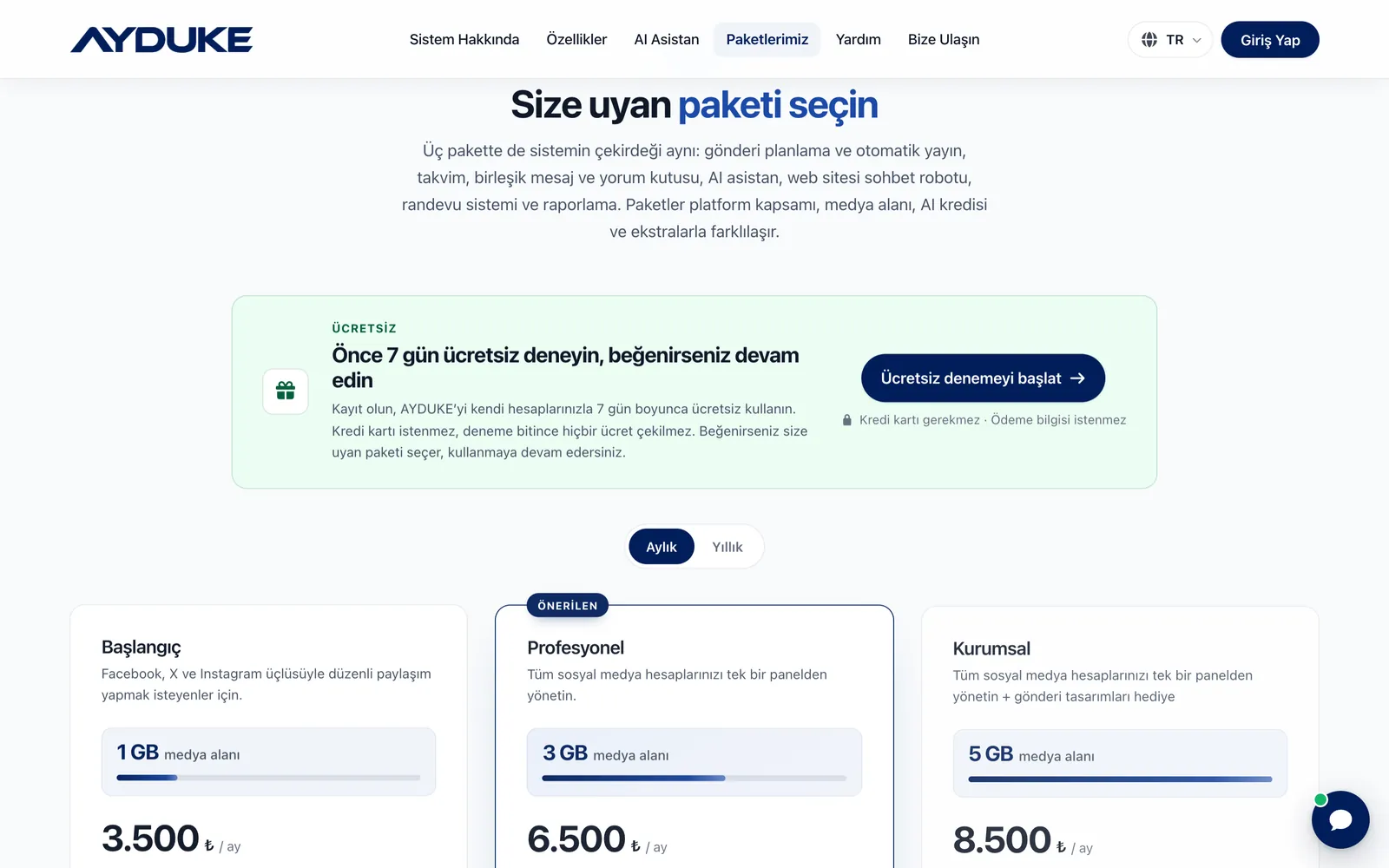
The 7-day free trial needs no credit card. Plans can be monthly or yearly, and the yearly price equals ten months of the monthly price. You do not sign a long-term contract and there is no cancellation fee if you decide not to continue.
How does post scheduling and auto-publishing work?
Post composer
You prepare the title, text, link and media on one screen and choose the target accounts. Posts can be saved as drafts, duplicated into new posts and scheduled in one click. You do not need to rewrite the same campaign for every platform.
Platform compliance check
Each platform has its own API rules: 280 characters on X, 2,200 characters and mandatory media on Instagram, mandatory video on TikTok and YouTube, and at most one image on Google My Business. AYDUKE applies these rules before a post is scheduled and shows the limits with live counters.
Automatic publishing queue
When a post is due, it is processed separately for each target account. Temporary errors are retried, and partial results are reported one by one with their reasons. If one account has a problem, publishing on the others is not affected. Plans also include automatic posting to Facebook groups.
Publishing calendar
Month, week, day and 30-day agenda views show your whole publishing plan. You filter the calendar by platform and reschedule a post simply by changing its time. Upcoming posts can be edited or removed from the queue.
Media library
Images and videos are uploaded by drag and drop. There is a gallery view with bulk selection and deletion, and the whole library can be downloaded as a single ZIP file. Storage is 1 GB, 3 GB or 5 GB depending on your plan.
What can you do on each platform?
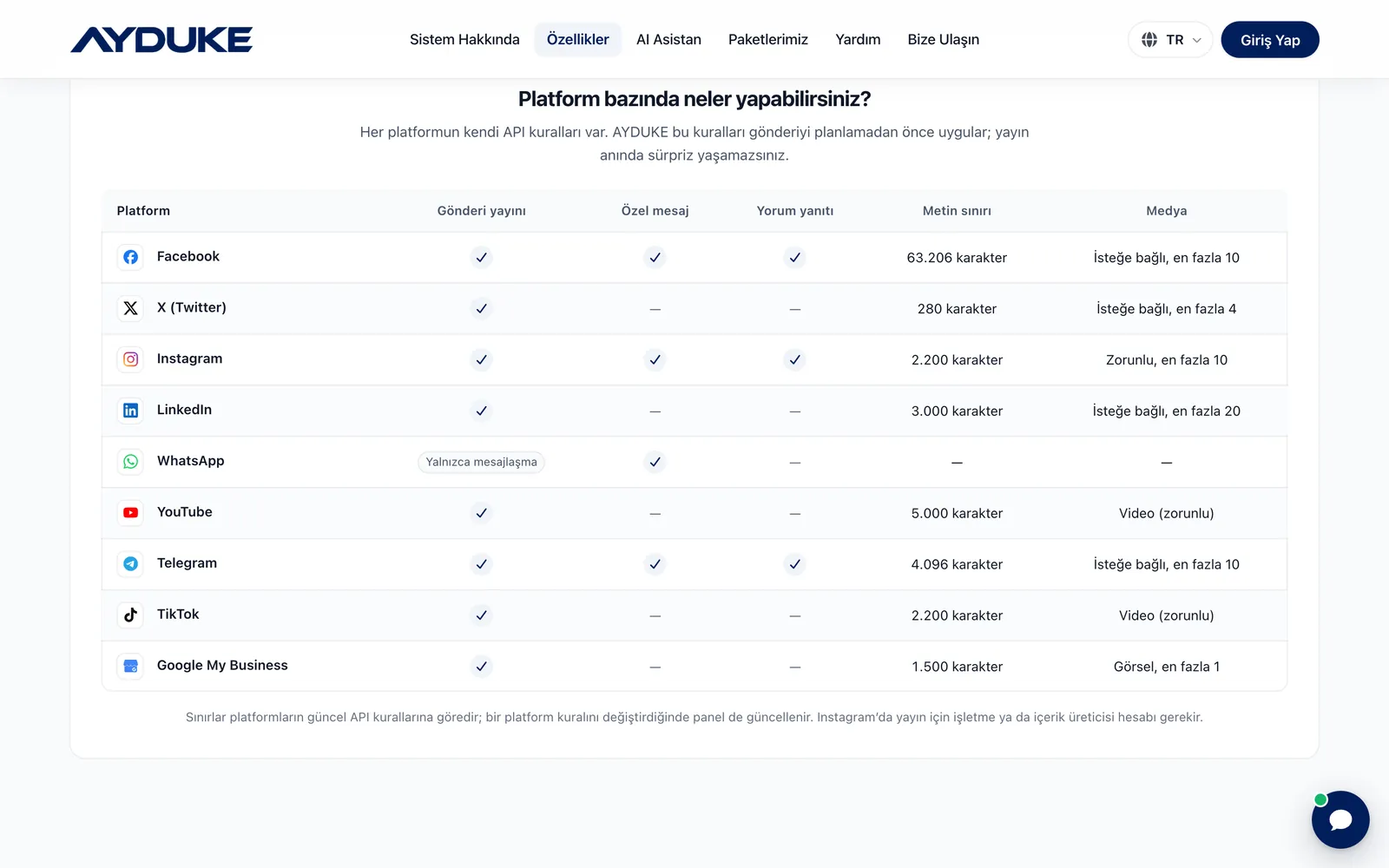
The table below shows which actions each platform supports, along with text and media limits. Limits follow the platforms’ current API rules, and the panel is updated when a platform changes its rules.
| Platform | Publishing | Direct messages | Comment replies | Text limit | Media |
|---|---|---|---|---|---|
| ✓ | ✓ | ✓ | 63,206 characters | Optional, up to 10 | |
| X (Twitter) | ✓ | — | — | 280 characters | Optional, up to 4 |
| ✓ | ✓ | ✓ | 2,200 characters | Required, up to 10 | |
| ✓ | — | — | 3,000 characters | Optional, up to 20 | |
| Messaging only | ✓ | — | — | — | |
| YouTube | ✓ | — | — | 5,000 characters | Video (required) |
| Telegram | ✓ | ✓ | ✓ | 4,096 characters | Optional, up to 10 |
| TikTok | ✓ | — | — | 2,200 characters | Video (required) |
| Google My Business | ✓ | — | — | 1,500 characters | Image, up to 1 |
AI assistant and website chatbot
Your own knowledge base
You enter general information, FAQ, product and rule records, import them in bulk from Excel or CSV, and export, edit and re-upload them. The assistant answers from these records. Questions it cannot answer are collected in an “Unanswered questions” list; answer one once and it is added to the knowledge base as an FAQ.
Learns from your website and documents
Give it your site address and up to 500 pages are crawled by following the sitemap and page links; products, prices, FAQs and contact details become knowledge records. Shopify and WooCommerce catalogues are read too, and the crawl is refreshed weekly. Upload PDF, Word, Excel, PowerPoint or text files and their content becomes knowledge records, questions and answers become FAQ and price lists become products.
Tone, language, signature and hours
Choose a formal, friendly or brief tone and set the style note, reply language and signature yourself. You define working hours, after-hours behaviour, hand-over keywords and a daily reply limit. An organisation profile, a training scorecard and a test screen let you check the assistant before it goes live.
Hand-over to live support and the support console
When an answer is not enough, the assistant offers to pass the chat to live support; if the visitor accepts, you are notified by SMS and email. In the live support console the queue, conversation and visitor card sit side by side, waiting chats are colour-flagged, and you take over, use saved replies or AI suggestions and download the transcript.
One line of code on your site, a link everywhere else
The chat window is added to your site with a single line of code, with setup guides ready for WordPress, Shopify, Wix, ikas and Google Tag Manager. You set the window’s position, colours, the pages it appears on and the domains it runs on from the same screen. No website? Share your personal chat link and QR code in your Instagram bio, WhatsApp messages or Google profile.
Voice assistant
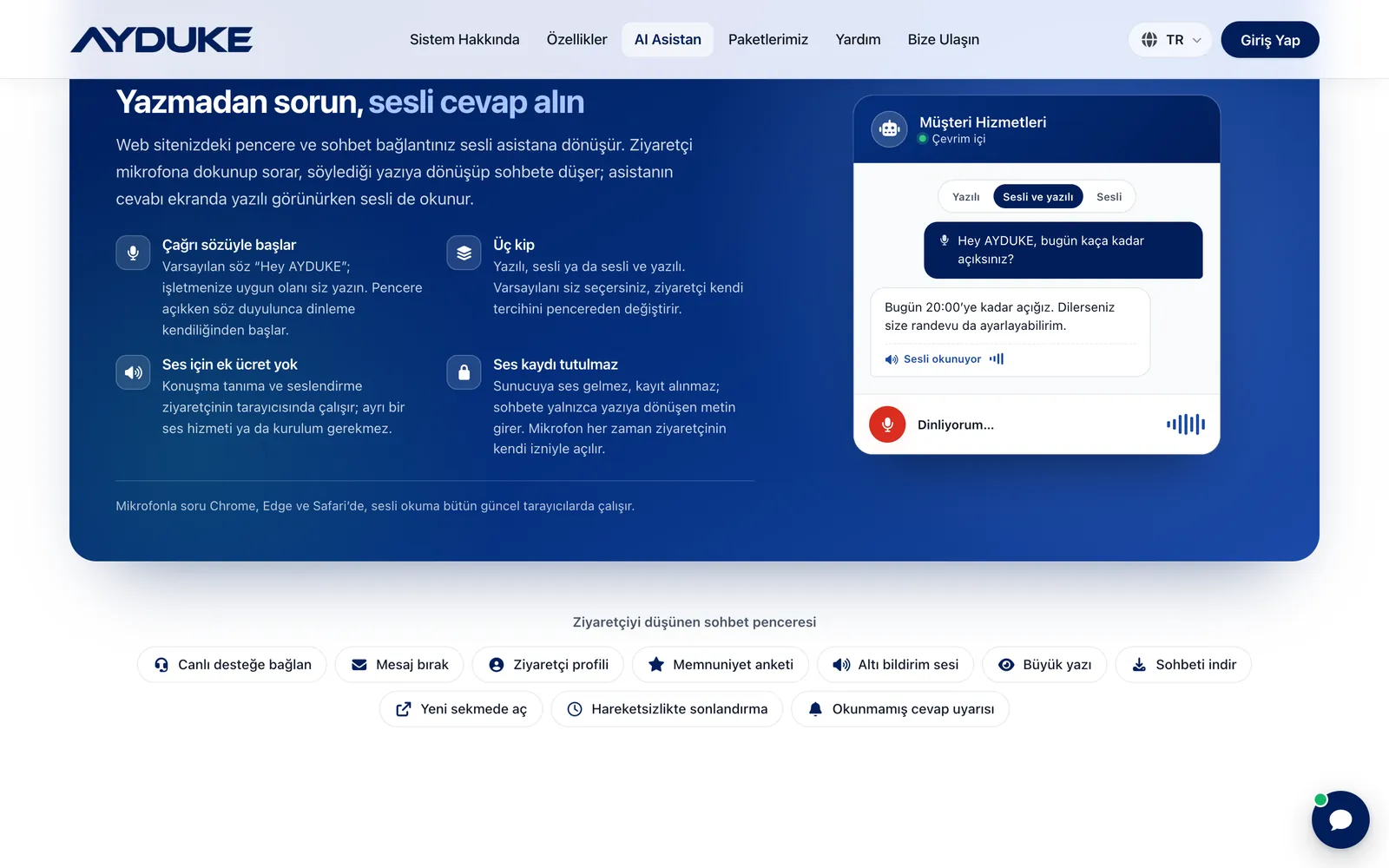
Visitors tap the microphone and ask out loud; what they say turns into text in the chat, and the reply appears on screen while it is read aloud. A wake phrase you choose, such as “Hey AYDUKE”, starts listening automatically. You pick text, voice or voice-and-text as the default mode. Speech recognition runs in the browser: no audio reaches the server and nothing is recorded.
Chat in the visitor’s language
The window opens in the language of the visitor’s device and page, and your welcome message and quick questions are translated into it. In live support, incoming messages are translated into your language and your replies into the visitor’s language instantly. The window also offers leaving a message, a visitor profile, a satisfaction survey, large text, chat download and closing after inactivity.
Bookings, orders and service requests from the chat
Bookings with real availability
You give each service a duration, buffer, price and capacity, and define your specialists with their own working hours. Free slots take into account your working hours, holidays and breaks, existing bookings and connected calendars, so double bookings cannot happen. Group classes or restaurant tables with several people per slot are supported.
Rules, notifications and calendar sync
Bookings are confirmed automatically or wait for your approval; you decide how far ahead they can be made, the cancellation window and any extra questions on the form. New bookings are sent to you by SMS and email, and your customer receives confirmation and reminder messages with a link to view or cancel. Bookings appear in Google, Apple/iCloud and Outlook calendars through a subscription, and events there count as busy time.
Visual product catalogue and chat-to-basket
You define categories, images, descriptions, sale prices and units, option groups such as size, extras or brand, and stock. The items a visitor asks for arrive in the basket ready; the visitor checks it, enters their name, phone, address and payment preference and sends the order themselves.
Admin panel: team, reports and security
Unified message and comment inbox
Messenger, Instagram DM, WhatsApp and Telegram conversations sit in one list with search, filters and direct replies. You reply to, delete or ignore Facebook, Instagram and Telegram comments, and the AI can prepare a draft or an automatic reply.
Conversation analysis
Messages, comments and website chats are classified by category, sentiment, urgency and topic. You spot complaints before they grow, see which topics come up most and strengthen your knowledge base accordingly. Reports download as XLSX or CSV.
Team and permissions
Add members with the Full access, Agency, Content, Support, Chatbot and Report roles, or grant separate permissions for accounts, posts, assistant, chats, inbox, orders, bookings, reports and billing. Members receive a single-use email invitation; you can set an end date, suspend them or close only their sessions. Every action appears in an activity log you can filter by person.
Account security
After the password, a one-time code is sent by SMS or email at sign-in. Two-step verification with Google Authenticator, Microsoft Authenticator or 1Password and ten backup codes can be added. You see your recent sign-ins and close sessions on every device in one click, and a bot and spam shield stops scripts from burning your AI credit through the chat window.
Connections and integrations
AYDUKE works with the platforms, calendars and website systems below. Social accounts connect through your own developer app via OAuth, and the chat window is added to your site with one line of code.
How does AI credit work?
- Only AI uses credit: Website chats, direct message and comment replies and AI-assisted conversation analysis use credit. Publishing, the calendar, media and reports do not.
- Based on reply length: A short reply uses about 1 credit, while a reply with site information or a long chat history uses 3–4. Your remaining credit and the approximate number of replies are shown live in the panel.
- A total quota, valid for 1 year: Starter includes 200,000, Professional 400,000 and Enterprise 600,000 credits. Credit is a total, not monthly, valid for 1 year from first use, and unused credit does not roll over.
- The system keeps working: You are emailed when 80% of your credit is used and when it runs out. After that, window greetings and questions covered by your training data are still answered free, and other messages come to you.
Comparing AYDUKE plans
| Feature | Starter | Professional | Enterprise |
|---|---|---|---|
| Platforms | Facebook, X, Instagram | All 9 platforms | All 9 platforms |
| Accounts per platform | 1 | 1 | 1 |
| Media storage | 1 GB | 3 GB | 5 GB |
| AI credit (total, 1 year) | 200,000 | 400,000 | 600,000 |
| Scheduled and automatic posting, calendar | ✓ | ✓ | ✓ |
| Automatic posting to Facebook groups | ✓ | ✓ | ✓ |
| AI assistant: messages, comments, web chat | ✓ | ✓ | ✓ |
| Website chatbot and live support | ✓ | ✓ | ✓ |
| Bookings, orders and service requests | ✓ | ✓ | ✓ |
| Voice assistant, window in the visitor’s language | ✓ | ✓ | ✓ |
| Team members, role and module permissions | ✓ | ✓ | ✓ |
| Conversation analysis, XLSX and CSV reports | ✓ | ✓ | ✓ |
| Special-day post designs | — | — | ✓ |
All three plans share the same core. Starter is enough for businesses that post regularly on Facebook, X and Instagram. Choose Professional to manage LinkedIn, YouTube, TikTok, WhatsApp, Telegram and Google My Business as well, and Enterprise for heavier chat traffic and ready-made special-day designs. Every plan can be taken monthly or yearly.
What is included
- Cloud service: AYDUKE runs in the cloud; you need no server, installation or domain.
- All core modules: Scheduling, auto-publishing, calendar, unified inbox, AI assistant, chatbot, bookings, orders, requests, reports and team permissions.
- AI credit: The total credit defined for your plan, valid for 1 year.
- Media storage: 1, 3 or 5 GB depending on the plan.
- Updates: The panel is updated when platform rules change, and new features arrive in your account automatically.
Getting started
- Choose a plan: Pick a monthly or yearly period and the plan that suits you, or start with the 7-day free trial.
- Payment: Pay with Visa, Mastercard, American Express, Apple Pay or Google Pay through Stripe, or by bank transfer for USD, EUR and GBP orders. Your invoice is created automatically once payment is confirmed.
- Your account is opened: Our team activates your AYDUKE account with your plan and sends your sign-in details.
- Connect your accounts: Follow the guides in the panel to connect your social accounts through your own developer app.
- Train the assistant: Enter your information, upload documents or crawl your site, and add the chat window to your website.
- Go live: Schedule your posts; let the assistant answer messages and take bookings and orders while you follow the results in reports.
Infrastructure, security and support
AYDUKE is a cloud service; infrastructure, backups and updates are our responsibility. Social account connections are made through the developer app you create, via OAuth, and access keys are stored encrypted. Card payments are processed by Stripe and your card details never reach our servers.
You follow your orders, invoices and support tickets from your customer panel. Your plan renews monthly or yearly according to the period you chose, and at the end of each period it is your decision whether to continue.
AYDUKE is a cloud service; you need no server, installation or domain. Plans are sold monthly or yearly and renew with the period you choose. Extra AI credit packs are bought separately from the panel.
