
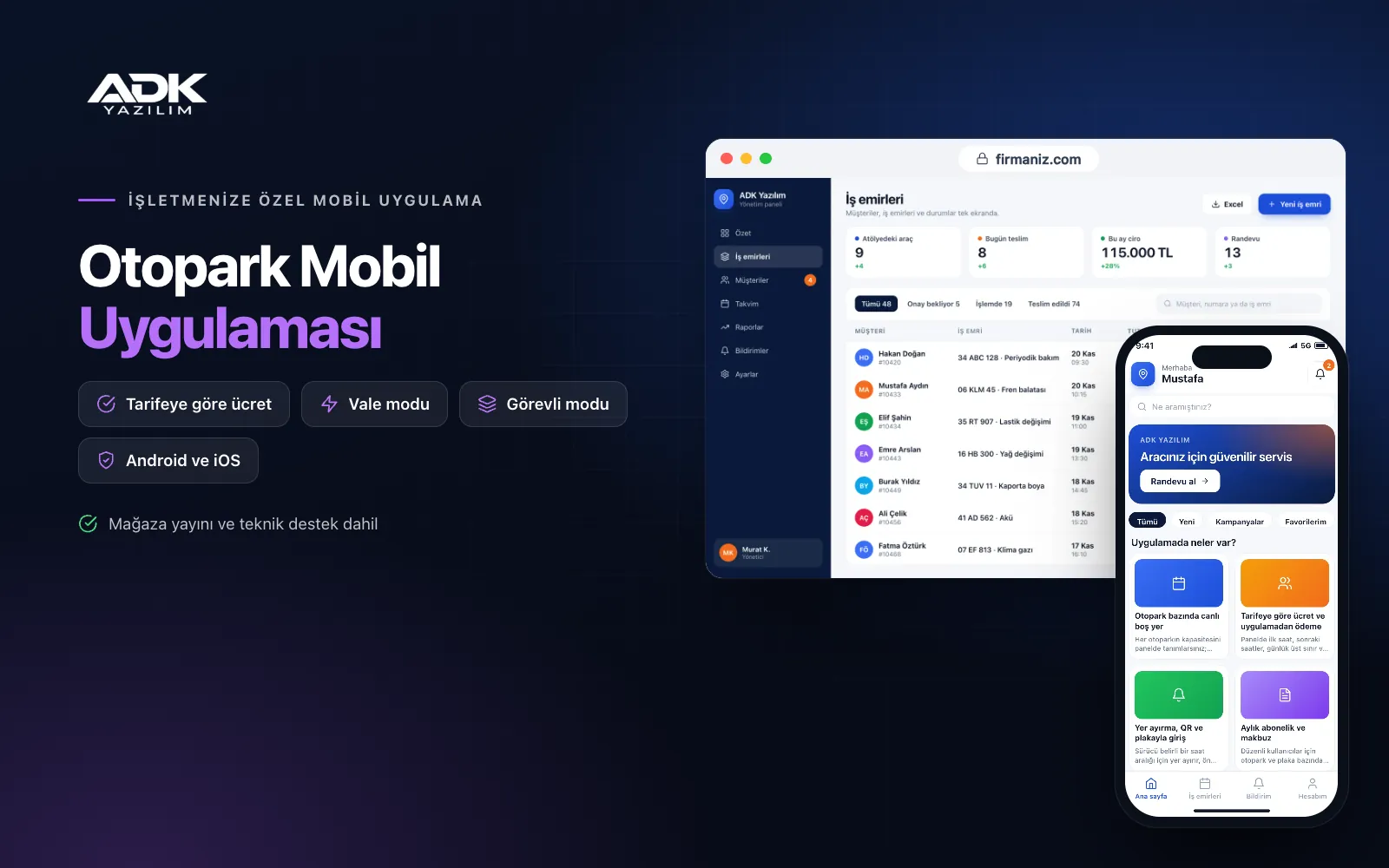
A car park mobile app sits on drivers’ phones with the name of your car park business or municipality. Before setting off, drivers see your car parks on the map with the number of free spaces, the hourly rate and opening hours, and can book a space in advance. Fewer cars reach the barrier only to turn back, and occupancy spreads more evenly.
On entry a QR code or number plate is recorded; on exit the charge is calculated from your tariff and the driver pays by card in the app, so queues at the pay booth are shorter. Regular users renew their monthly passes in the app and keep their receipts on their phone. Attendants and valets work in the same app with their own screens. The app is published under your business’s name on Google Play, the App Store or both.
Who is it for?
- Car park operators: Businesses with open or multi-storey car parks that want shorter queues and less cash handling.
- Councils and municipal companies: Organisations giving residents free space and price information for the city’s car parks.
- Shopping centre, hospital and hotel car parks: Sites that want to offer visitors space booking, in-app payment and valet parking.
- Valet parking providers: Firms that want every handover recorded with a key number, bay and photos.
- Car parks with season tickets: Businesses that want to track monthly customers by number plate and simplify renewals.
Features for drivers, attendants and valets
Live free spaces per car park
You set each car park’s capacity in the panel, and entry and exit records update the free space count automatically. Attendants correct the counter in one tap for cars that come in without a record. On the map each car park is coloured by occupancy, with its price and opening hours alongside. Taking data directly from barrier or sensor systems can be added through custom development.
Tariff-based charges and in-app payment
In the panel you set rules per car park such as the first hour, later hours, a daily cap and a night rate, and drivers see the running charge live. On exit they pay by card through an iyzico or PayTR account opened in your business’s name, with transaction fees paid to the provider. A set time is then allowed to leave, and the car shows as “paid” to attendants.
Space booking, QR and number plate entry
Drivers book a space for a time slot and pay in advance, and booked spaces come off the free count. On entry they show the QR code in the app, or the attendant finds the record by typing the plate. If the driver does not arrive in time, the space is released according to your rule. Booking and cancellation terms are shown in advance.
Monthly passes and receipts
You set up monthly passes per car park and number plate for regular users. Drivers start and renew their pass in the app and are notified a few days before it ends. Pass holders are flagged on the attendant’s screen on entry. A PDF receipt for every payment stays on the driver’s phone, and invoice details can be entered in the app.
Valet and attendant mode
When taking a car, the valet records the plate, key number, the bay where it is parked and photos from four sides. Before returning, the driver taps “get my car ready” and the request reaches the valet’s screen. The attendant screen lists the cars inside with entry times, payment status and booked spaces. Every attendant has their own account, so it is clear who did what.
How do you get started?
- Choose your plan: Pick Starter (one platform) or Standard / Professional (Android + iOS) to match the phones your drivers and attendants use.
- Send your car park details: Share your logo, colours, car park locations, capacities, opening hours, tariffs and pass options.
- Payments and publishing: We connect your iyzico or PayTR account, open the attendant accounts and publish the app in your store accounts.
- Tell your drivers: With QR codes on entrance signs, a poster at the booth and a link on tickets, drivers download the app.
Infrastructure, security and support
The app and web admin panel run on ADK infrastructure, data is backed up every day and connections are encrypted. Card details are not stored in the app; payments are processed on the payment provider’s secure page. Drivers see only their own vehicles, payments and passes, and number plates and valet photos are visible only to authorised attendants. The developer account for each store the app is published on is opened in your business’s name; the business pays the account fees and we handle publishing and updates.
The app is published under your business’s name in the store you choose (Google Play, the App Store or both); the web admin panel and server run on ADK infrastructure, so no separate server or domain is needed. The Google Play and Apple Developer Program accounts are opened in your business’s name; the account fees are not included, and we handle setup and publishing. The first-year fee covers brand customisation, setup, data import from Excel and remote training; from the second year a yearly hosting, update and support fee applies, lower than the first-year price. You can start with one platform on Starter and move to Standard (Android + iOS) by paying the difference. Card payments are taken through an iyzico or PayTR account opened in your business’s name, and transaction fees are paid to the payment provider. Connections to barriers, number plate recognition cameras, sensors and pay booth hardware, SMS sending and e-invoicing are not included and can be added through custom development.
Fast delivery
Our ready-made product foundations get your project live quickly.
Security first
Secure coding standards, encrypted connections and regular updates.
Ongoing support
Maintenance, updates and technical support after launch. We stay by your side.



