
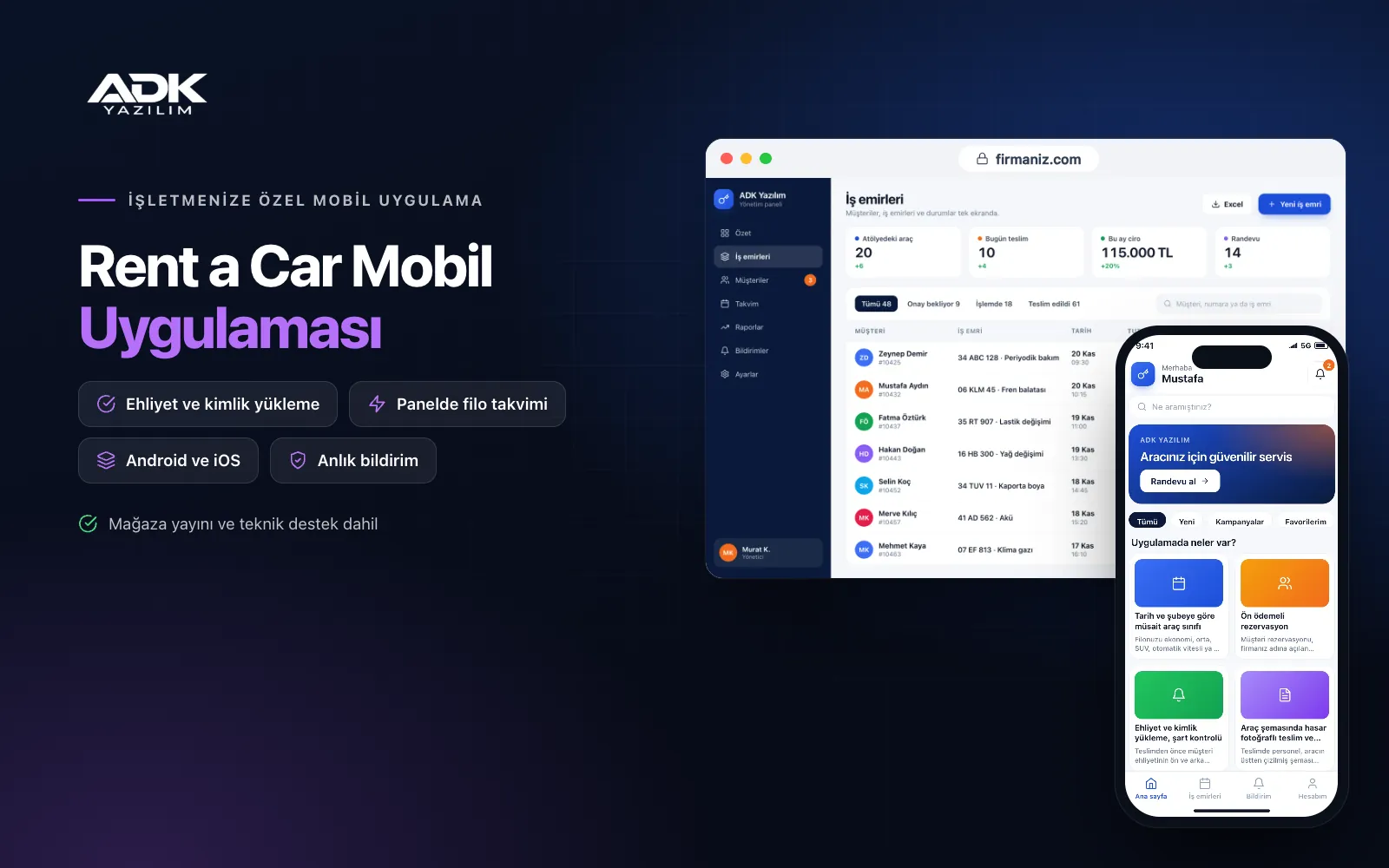
A car rental mobile app sits on your customers’ phones with your rental company’s name. Customers choose pick-up and return dates and a branch or a delivery point such as a hotel or airport, see the car classes available for those dates with prices and complete the booking with a deposit. Nobody has to answer “do you have an automatic for those dates?” on the phone or chase deposits paid by bank transfer.
Before pick-up, customers upload their driving licence and ID, so the wait at the desk is shorter. At check-out and check-in your staff mark damage on a diagram of the car, add photos and record fuel and mileage, and the contract arrives on the customer’s phone as a PDF. The app is published under your company’s name on Google Play, the App Store or both, and customers make their next rental through the same app.
Who is it for?
- Local car rental companies: Firms taking bookings by phone and message that want simpler availability and deposit tracking.
- Companies delivering to airports and hotels: Firms that take the car to the customer and need the address and time clearly.
- Companies in tourist areas: Firms that want to show visitors car classes, prices and terms clearly in English.
- Companies with several branches: Businesses handling pick-up at one branch and return at another in an orderly way.
- Long-term rental providers: Firms offering business and monthly customers contracts, extensions and returns in the app.
The rental process from booking to return
Car classes available by date and branch
You group your fleet into classes such as economy, mid-size, SUV, automatic or minibus. When customers choose a date, time and branch, they see only the classes free for that period, with the daily rate and total. You set seasonal prices, minimum rental days, extra drivers, child seats and delivery charges in the panel.
Bookings with a deposit
Customers confirm the booking by paying in advance or leaving a deposit by card through an iyzico or PayTR account opened in your company’s name, with transaction fees paid to the payment provider. Unpaid bookings lapse automatically after the time you set and the car becomes available again. Your cancellation and refund rules are shown clearly on the booking screen.
Licence and ID upload with eligibility checks
Before pick-up, customers photograph the front and back of their licence and their ID and enter their date of birth and licence date. In the panel you set a minimum age and years of licence for each class, and customers who do not meet them are warned when choosing that class. Staff review the documents in advance, with no photocopying at the desk.
Check-out and check-in with damage photos on a car diagram
At check-out, staff mark existing damage on a top-down diagram of the car and add a photo to each point; fuel level and mileage are recorded and the customer signs on screen. At check-in the same diagram is filled in again and the app highlights any marks that were not there before. Both forms are kept as PDFs with the contract.
Extension requests and PDF contracts
During the rental, customers send an extension request from the app; if the car is free, staff approve it and the difference is paid in the app. The rental contract, terms and check-out and check-in forms sit as PDFs in the customer’s “My rentals” screen. As the return approaches, a reminder of the time and drop-off point is sent as a notification.
How do you get started?
- Choose your plan: Pick Starter (one platform) or Standard / Professional (Android + iOS) to match the phones your customers use.
- Send your fleet and terms: Share your logo, colours, branches, car classes, prices, extras and rental terms.
- Payments and publishing: We connect your iyzico or PayTR account, build the app under your company’s name and publish it in your store accounts.
- Tell your customers: With QR stickers in the cars, a poster in the office and booking confirmations, customers download the app.
Infrastructure, security and support
The app and web admin panel run on ADK infrastructure, data is backed up every day and connections are encrypted. Licence and ID images are kept in a protected area that only authorised staff can see, and customers see only their own rentals. Card details are not stored in the app; payments are processed on the payment provider’s secure page. The developer account for each store the app is published on is opened in your company’s name; the company pays the account fees and we handle publishing and updates.
The app is published under your company’s name in the store you choose (Google Play, the App Store or both); the web admin panel and server run on ADK infrastructure, so no separate server or domain is needed. The Google Play and Apple Developer Program accounts are opened in your company’s name; the account fees are not included, and we handle setup and publishing. The first-year fee covers brand customisation, setup, data import from Excel and remote training; from the second year a yearly hosting, update and support fee applies, lower than the first-year price. You can start with one platform on Starter and move to Standard (Android + iOS) by paying the difference. Card payments are taken through an iyzico or PayTR account opened in your company’s name, and transaction fees are paid to the payment provider. SMS sending, e-invoicing, toll and traffic fine look-ups, vehicle tracking devices and official identity verification are not included and can be added through custom development.
Fast delivery
Our ready-made product foundations get your project live quickly.
Security first
Secure coding standards, encrypted connections and regular updates.
Ongoing support
Maintenance, updates and technical support after launch. We stay by your side.



