
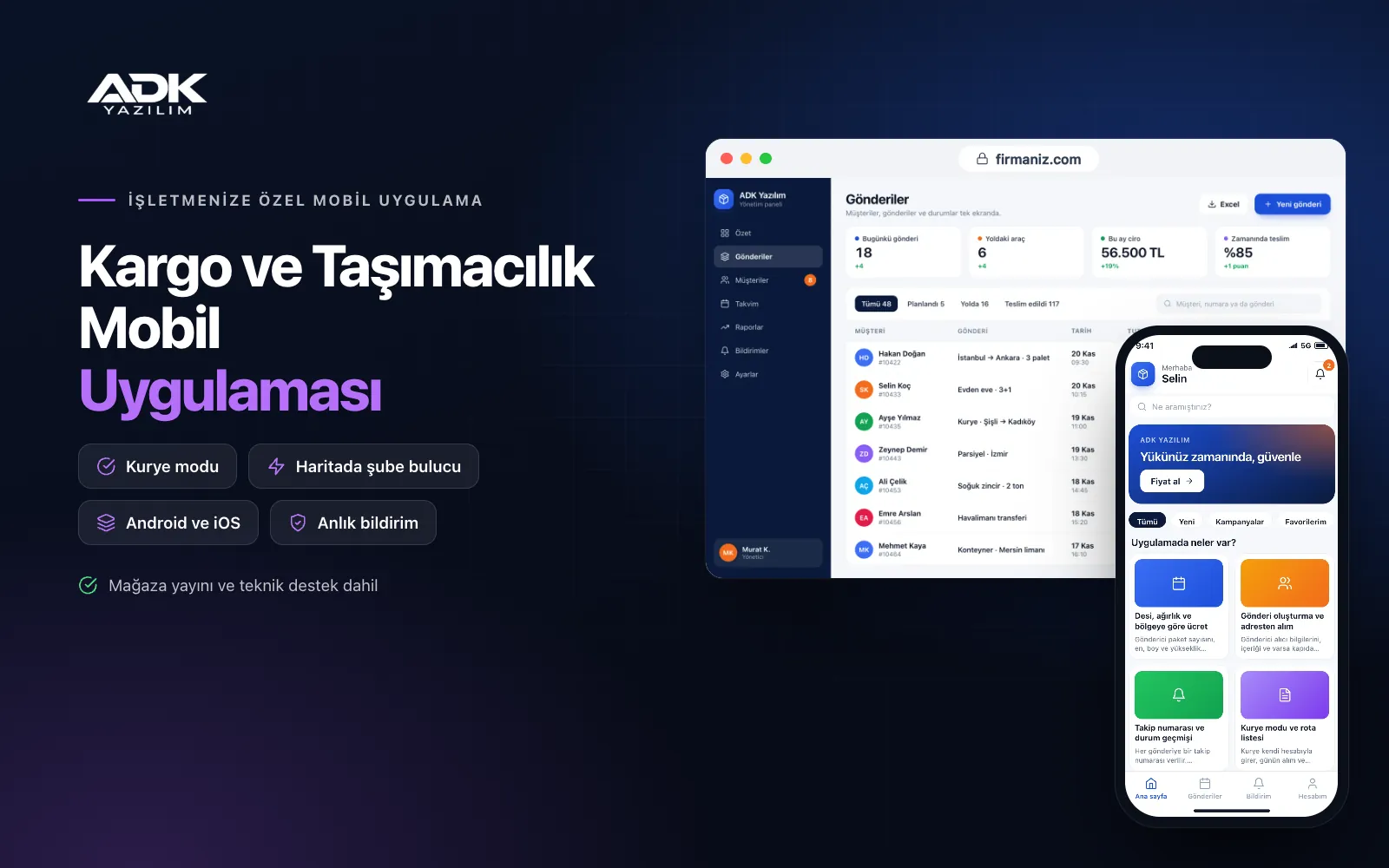
A cargo and freight mobile app sits on your customers’ phones with your regional cargo or freight company’s name. Senders enter the parcel’s dimensions and weight, and the app works out the volumetric weight and the price for the zone straight away; they create the shipment, request a pick-up or find the nearest branch on the map. Fewer calls ask “how much, and when will the courier come?”
Recipients and senders follow every step of the shipment with its tracking number. Your couriers work from the courier screen of the same app with the day’s pick-up and delivery list, take a photo and signature on delivery and record cash on delivery payments. The app is published under your company’s name on Google Play, the App Store or both, and customers create their next shipment in the same app.
Who is it for?
- Regional cargo companies: Firms delivering across particular provinces and districts that want shipment intake and tracking online.
- City courier firms: Same-day delivery businesses that want pick-up requests and courier routes in one place.
- Parcel and freight carriers: Firms moving boxes, pallets and part loads that price by size and weight.
- Companies with agents and branches: Firms that want to direct customers to the nearest branch and follow shipments by branch.
- Carriers working with online sellers: Firms handling cash on delivery shipments that want orderly reconciliation.
The cargo process from shipment to delivery
Prices by volumetric weight, weight and zone
Senders enter the number of parcels, their length, width and height and the weight; the app works out the volumetric weight and uses whichever is greater. In the panel you set your zone table (such as local, near and far) and prices by weight band. When the recipient’s address is chosen the zone is set, and the estimated price appears before the shipment is created.
Creating shipments and pick-up requests
Senders enter the recipient’s details, the contents and any amount to collect on delivery, then create the shipment. They choose a day and time window for collection or drop the parcel at a branch. A barcode label is printed as a PDF from the panel. If you wish, the fee can be paid by card in the app through an iyzico or PayTR account in your company’s name.
Tracking numbers and status history
Every shipment gets a tracking number. Even without the app, recipients can enter it on a shared tracking page and see steps such as collected, at branch, out for delivery and delivered, with times. Senders, and recipients who use the app, are notified when the status changes. If a delivery fails, the reason and the next attempt date are shown too.
Courier mode and route lists
Couriers sign in with their own accounts and see the day’s pick-up and delivery stops as a list and on a map; they arrange the order themselves and open addresses in the map app. They scan the label barcode with the phone camera to collect a parcel and take it out for delivery. If nobody is in, they choose a “not delivered” reason and add a photo of the door.
Photo proof of delivery and cash on delivery
On delivery the courier photographs the parcel, enters the recipient’s name and takes a signature on screen, and the proof is added to the shipment record. For cash on delivery shipments the amount collected and payment method are recorded. At the end of the day the panel lists collections by courier, and cash handed in is checked against the records.
How do you get started?
- Choose your plan: Pick Starter (one platform) or Standard / Professional (Android + iOS) to match the phones your customers and couriers use.
- Send your company details: Share your logo, colours, branches, service zones, weight and zone price table and courier list.
- Publishing and setup: We build the app under your company’s name, open courier and branch accounts and publish it in your store accounts.
- Tell your customers: QR posters at branches, the tracking link on labels and invitations to business customers spread the app.
Infrastructure, security and support
The app and web admin panel run on ADK infrastructure, data is backed up every day and connections are encrypted. Senders see only their own shipments; the tracking page shows only status steps, keeping the recipient’s address and phone number private. Couriers open only the stops assigned to them, and delivery photos and signatures are stored with the shipment record. The developer account for each store the app is published on is opened in your company’s name; the company pays the account fees and we handle publishing and updates.
The app is published under your company’s name in the store you choose (Google Play, the App Store or both); the web admin panel and server run on ADK infrastructure, so no separate server or domain is needed. The Google Play and Apple Developer Program accounts are opened in your company’s name; the account fees are not included, and we handle setup and publishing. The first-year fee covers brand customisation, setup, data import from Excel and remote training; from the second year a yearly hosting, update and support fee applies, lower than the first-year price. You can start with one platform on Starter and move to Standard (Android + iOS) by paying the difference. Card payments are taken through an iyzico or PayTR account opened in your company’s name, and transaction fees are paid to the payment provider. SMS sending, e-invoicing and e-dispatch notes, connections to online marketplaces or other carriers’ systems, handheld terminals and label printer hardware are not included and can be added through custom development.
Fast delivery
Our ready-made product foundations get your project live quickly.
Security first
Secure coding standards, encrypted connections and regular updates.
Ongoing support
Maintenance, updates and technical support after launch. We stay by your side.



