
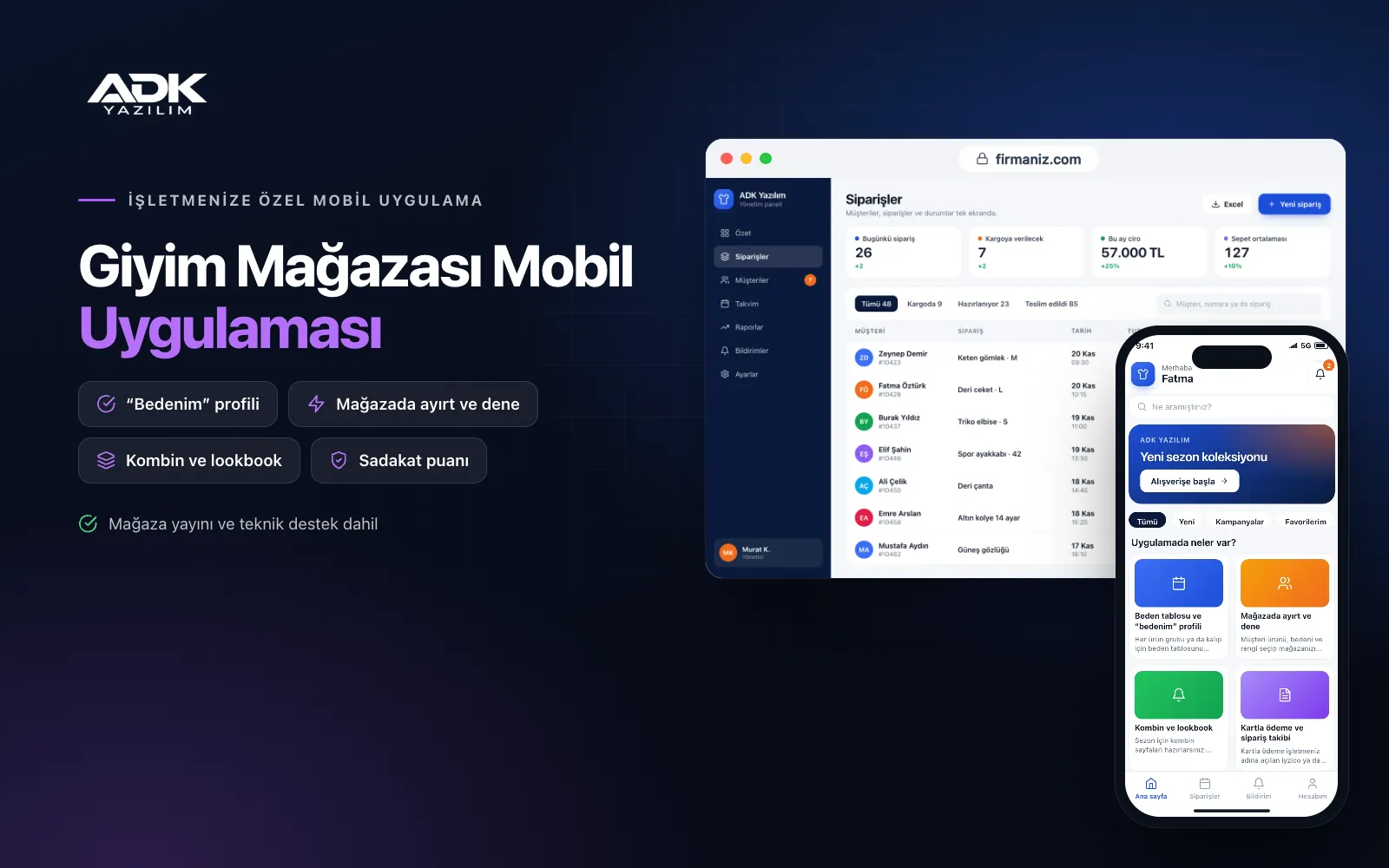
A clothing store mobile app brings your collection to your customers’ phones with your store’s name and logo. Customers browse each item by size and colour, and thanks to a “my size” profile where they save their measurements once, they see the size that suits them right on the product page. Exchanges and returns caused by the wrong size go down, and you no longer answer “do you have this in a medium?” messages one by one.
The app links online sales with your shops. A customer can buy an item by card or reserve it at the nearest store and come in to try it on. Outfit pages show the pieces that go with an item, and new season and sale notifications reach phones with no SMS charges. The app is published under your store’s name on Google Play, on the App Store or on both.
Who is it for?
- Fashion boutiques: Shops with loyal customers who want to be the first to hear about new arrivals.
- Brands with several stores: Clothing chains that want customers to reserve items at a nearby store and try them on.
- Brands making their own collections: Design and production companies presenting each season through outfits.
- Children’s, modest and plus-size wear shops: Businesses where choosing the right size matters most to customers.
- Stores starting to sell online: Shops that want to move orders from social media into a tidy app.
Features that find the right size and bring customers into store
Size charts and a “my size” profile
You enter the size chart for each product group or fit once in the panel. Customers save their height, weight and measurements such as chest, waist and hips in their profile, and the size closest to their measurements is highlighted on the product page. You can add a note to items that run small or large. One account can also hold separate size profiles for children or a partner.
Reserve in store and try on
The customer picks the item, size, colour and store and taps “reserve in store”. The request appears on the store screen, and when staff set the item aside and confirm, the customer is notified. The reservation is held for the period you set and is cancelled automatically when it expires. The panel shows which reservations turned into sales, so the app brings people through your door as well.
Outfits and lookbooks
You prepare outfit pages for the season with a photo, a short description and the items in the look. Customers add each piece in their own size to the basket in one tap. On a product page, a “wear it with” section shows matching pieces. Reports show how often each outfit is viewed and added to baskets.
Card payments and order tracking
Card payments are taken through an iyzico or PayTR account opened in your business’s name. Customers are notified when the order is prepared, dispatched and delivered, and the courier tracking number appears in the app. To exchange a size or return an item, the customer selects it from the order and sends a request, which arrives in your panel.
Loyalty points and new season notifications
Purchases in the app earn points, and for in-store purchases staff scan the QR code in the customer’s app from the panel to add points. You send notifications for a new season, a sale or new arrivals in a category the customer follows. A customer who taps “notify me” on a sold-out size is alerted automatically when it is back in stock.
How do you get started?
- Choose your plan: Pick Starter (one platform) or Standard / Professional (Android + iOS) to match the phones your customers use.
- Send your collection: Share your logo, colours, an Excel product list, your size charts and store addresses.
- Publishing and setup: We connect your payment account, build the app under your store’s name and publish it in your store accounts.
- Invite your customers: Share the app’s QR code at the till, on bags and in the window; you can award points for the first purchase.
Infrastructure, security and support
The app and web admin panel run on ADK infrastructure, and data is backed up every day. A customer’s measurements stay in their own account and are used only for size suggestions; card details are never stored in the app. Store staff see only their own store’s reservations, and panel users sign in with their own passwords and according to their permissions. The developer account for each store the app is published on is opened in your business’s name; the business pays the account fees and we handle publishing and updates.
The app is published under your store’s name in the store you choose (Google Play, the App Store or both); the web admin panel and server run on ADK infrastructure, so no separate server or domain is needed. The Google Play and Apple Developer Program accounts are opened in your business’s name; the account fees are not included, and we handle setup and publishing. The first-year fee covers brand customisation, setup, initial configuration, product import from Excel and remote training; from the second year a yearly hosting, update and support fee applies, lower than the first-year price. You can start with one platform on Starter and move to Standard (Android + iOS) by paying the difference. Card payments are taken through an iyzico or PayTR account opened in your business’s name, and transaction fees are paid to the payment provider. Automatic stock sync with your till or stock software, automatic courier shipments, e-invoicing and SMS sending are not included and can be added through custom development; stock is updated in the panel or from Excel.
Fast delivery
Our ready-made product foundations get your project live quickly.
Security first
Secure coding standards, encrypted connections and regular updates.
Ongoing support
Maintenance, updates and technical support after launch. We stay by your side.



