
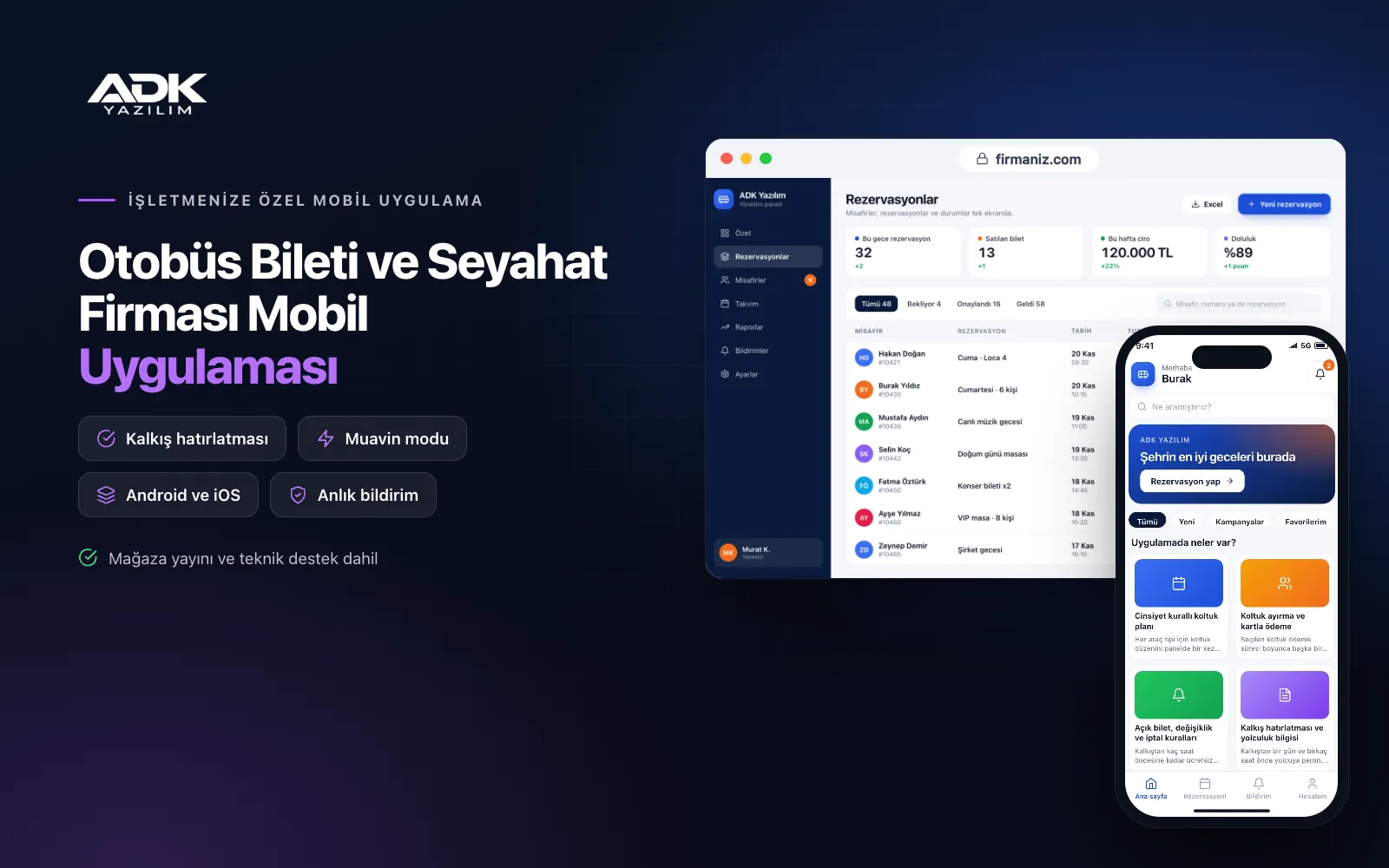
A coach ticket mobile app sits on your passengers’ phones with your intercity bus company’s name. Passengers choose where they are travelling from and to and the date, see journeys, times and fares, pick a seat on the seat map, pay by card and receive a QR e-ticket straight away. Queues at the ticket office and calls asking “is that journey full?” become less frequent, and ticket sales no longer depend on office hours.
The seat map applies the established Turkish practice for adjacent seats automatically. You set open ticket, change and cancellation rules in the panel, and passengers see them before they buy. The host uses the same app to open the passenger list and scan QR codes at boarding. The app is published under your company’s name on Google Play, the App Store or both.
Who is it for?
- Regional coach companies: Firms running regular routes that sell through ticket offices and by phone.
- Intercity travel companies: Firms that want to sell directly under their own brand and build ties with passengers.
- District and rural route operators: Operators who want orderly seat sales on busy holiday and weekend journeys.
- Companies carrying students and workers: Firms that want open tickets and journey changes to be easy for regular passengers.
- Tour and special journey organisers: Businesses wanting seat selection and passenger lists for dated journeys.
Features from ticket sale to boarding
A seat map with the gender rule
You draw the seat layout for each vehicle type once in the panel: 2+1, 2+2, single seats and the door side. Occupied seats are marked by the passenger’s gender. If a passenger tries to choose a seat next to someone of a different gender who is not on their booking, the app warns them and blocks the sale; family and friends on the same ticket can sit together.
Seat holds and card payment
A chosen seat cannot be sold to anyone else while payment is in progress and is released automatically when the time runs out. Payment is taken by card through an iyzico or PayTR account opened in your company’s name, with transaction fees paid to the payment provider. Once paid, a QR e-ticket appears in the passenger’s “My tickets” screen and opens offline.
Open ticket, change and cancellation rules
In the panel you set how many hours before departure free changes are allowed, the deduction on cancellation and how long an open ticket stays valid. Passengers open their ticket, move it to another journey or cancel it in the app; the app applies your rules and shows the refund amount in advance. The rules are also shown before purchase.
Departure reminders and journey information
A day and a few hours before departure, passengers receive a reminder with the platform, time and seat number. If a departure time changes, you notify everyone on that journey in one click. If you choose, the host’s phone shares its location during the journey, so passengers and whoever is meeting them can see where the coach is. Location is sent only while the journey is under way.
Host mode
The host signs in to the same app with their own account and sees the journey’s passenger list on the seat map. At boarding they scan the e-ticket’s QR code, and passengers who do not board are marked separately. The list shows which passenger leaves at which intermediate stop. Tickets sold at the office or by phone are entered in the panel and join the same list.
How do you get started?
- Choose your plan: Pick Starter (one platform) or Standard / Professional (Android + iOS) to match the phones your passengers use.
- Send your journey details: Share your logo, colours, routes, stops, vehicle seat layouts, fares and ticket rules.
- Payments and publishing: We connect your iyzico or PayTR account, build the app under your company’s name and publish it in your store accounts.
- Tell your passengers: With QR posters at offices and in the coaches, a link on printed tickets and social media, passengers download the app.
Infrastructure, security and support
The app and web admin panel run on ADK infrastructure, data is backed up every day and connections are encrypted. Card details are not stored in the app; payments are processed on the payment provider’s secure page. Passengers see only their own tickets, and hosts open only the list for their own journey. QR codes are generated so they cannot be guessed and can be scanned once. The developer account for each store the app is published on is opened in your company’s name; the company pays the account fees and we handle publishing and updates.
The app is published under your company’s name in the store you choose (Google Play, the App Store or both); the web admin panel and server run on ADK infrastructure, so no separate server or domain is needed. The Google Play and Apple Developer Program accounts are opened in your company’s name; the account fees are not included, and we handle setup and publishing. The first-year fee covers brand customisation, setup, data import from Excel and remote training; from the second year a yearly hosting, update and support fee applies, lower than the first-year price. You can start with one platform on Starter and move to Standard (Android + iOS) by paying the difference. Card payments are taken through an iyzico or PayTR account opened in your company’s name, and transaction fees are paid to the payment provider. SMS sending, official systems such as e-invoicing and U-ETDS reporting, and connections to ticket sales platforms or agency B2B systems are not included and can be added through custom development.
Fast delivery
Our ready-made product foundations get your project live quickly.
Security first
Secure coding standards, encrypted connections and regular updates.
Ongoing support
Maintenance, updates and technical support after launch. We stay by your side.



