
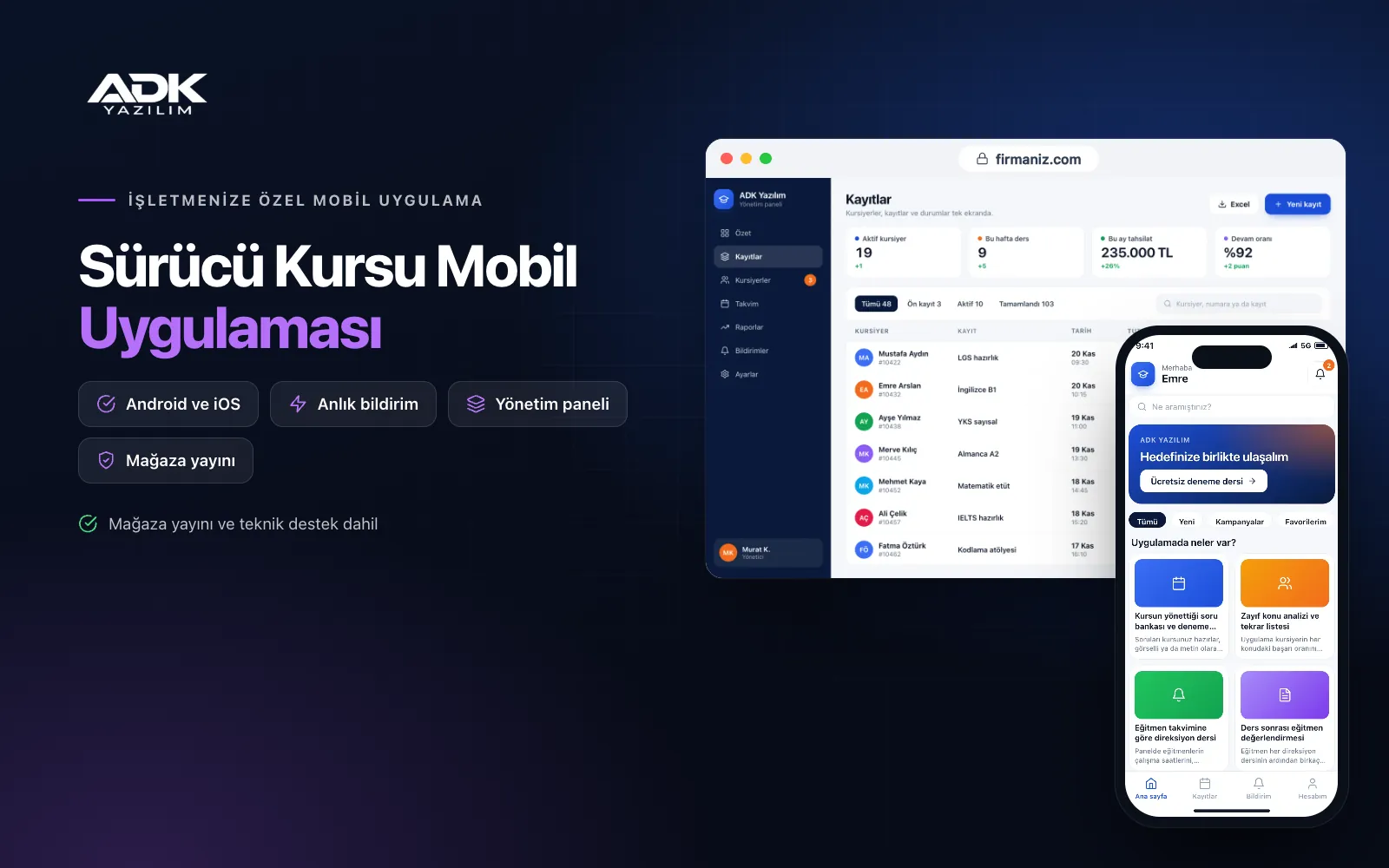
A driving school mobile app sits on learners’ phones with your driving school’s name. Learners study for the theory exam with the question bank and practice tests your school prepares, watch lesson videos and see which topics they are weakest in. They book driving lessons themselves from the instructor’s calendar, and calls asking “when is my lesson, and what day is my test?” become less frequent.
Exam dates, missing documents and instalment due dates are sent to learners as reminders. After each driving lesson the instructor enters a short assessment, and learners follow their progress in the app. The app is published under your school’s name on Google Play, the App Store or both, so when learners recommend a school to a friend, your name is already on their phone.
Who is it for?
- Driving schools: Schools teaching mainly car licences that want simpler communication with learners and lesson planning.
- Schools teaching several licence classes: Schools training for motorcycle, car, lorry, bus and trailer licences that want to manage groups separately.
- Schools with busy seasons: Schools that want an orderly driving lesson calendar when enrolments rise in summer and school holidays.
- Schools offering instalments: Businesses that want to show learners the balance outstanding and their next due date.
- Schools focused on teaching quality: Schools that want to measure learners’ progress and improve exam results.
Features from theory to the driving test
A school-managed question bank and practice tests
Your school prepares the questions and enters them by topic in the panel, as text or with images, or uploads them in bulk from Excel: traffic rules, first aid, engine and vehicle technology, and road etiquette. You decide the number of questions, the time limit and the topic mix for practice tests. When learners finish a test they see their right and wrong answers with explanations.
Weak topic analysis and a review list
The app calculates each learner’s success rate by topic and highlights the topics they are weakest in. Questions answered wrongly collect in a personal review list that learners can study separately. In the panel you see which topics a class or group is struggling with, so you can give them more weight in theory lessons.
Driving lessons from instructor calendars
In the panel you set your instructors’ working hours, cars and gearbox types. Learners choose a suitable time within the lessons allocated to them, and the same instructor or car cannot be booked twice for the same time. A reminder is sent before the lesson. You set the latest time a lesson can be cancelled.
Instructor assessment after each lesson
After every driving lesson the instructor enters an assessment in a few taps under headings such as vehicle control, parking, hill starts, lane discipline, junctions and observation. Learners see which skills are improving and which need more work. Instructor notes make it clearer whether a learner is ready for the test.
Exam reminders, document checklist and instalments
You enter theory exam and driving test dates in the panel, and learners are reminded a few days and a day before. On the document list your school sets, learners see what they have handed in and what is still missing. The instalment plan, amounts paid and outstanding, and the next due date sit on the same screen.
How do you get started?
- Choose your plan: Pick Starter (one platform) or Standard / Professional (Android + iOS) to match the phones your learners use.
- Send your school details: Share your logo, colours, instructors, cars, licence classes, document list and your question bank in Excel.
- Publishing and setup: We import the questions and learners, build the app under your school’s name and publish it in your store accounts.
- Invite your learners: With an invitation code given at enrolment and a QR poster in the classroom, learners join the app.
Infrastructure, security and support
The app and web admin panel run on ADK infrastructure, data is backed up every day and connections are encrypted. Learners see only their own results, lessons, documents and payments, and instructors open only the lessons of their own learners. Lesson videos are available only to enrolled learners. The developer account for each store the app is published on is opened in your school’s name; the school pays the account fees and we handle publishing and updates.
The app is published under your school’s name in the store you choose (Google Play, the App Store or both); the web admin panel and server run on ADK infrastructure, so no separate server or domain is needed. The Google Play and Apple Developer Program accounts are opened in your school’s name; the account fees are not included, and we handle setup and publishing. The first-year fee covers brand customisation, setup, question and learner import from Excel and remote training; from the second year a yearly hosting, update and support fee applies, lower than the first-year price. You can start with one platform on Starter and move to Standard (Android + iOS) by paying the difference. The question bank and lesson videos are prepared and uploaded by the school, which is responsible for their accuracy and usage rights. Integration with MEBBİS and other official systems, in-app card payments, live online lessons and SMS sending are not included and can be added through custom development.
Fast delivery
Our ready-made product foundations get your project live quickly.
Security first
Secure coding standards, encrypted connections and regular updates.
Ongoing support
Maintenance, updates and technical support after launch. We stay by your side.



