
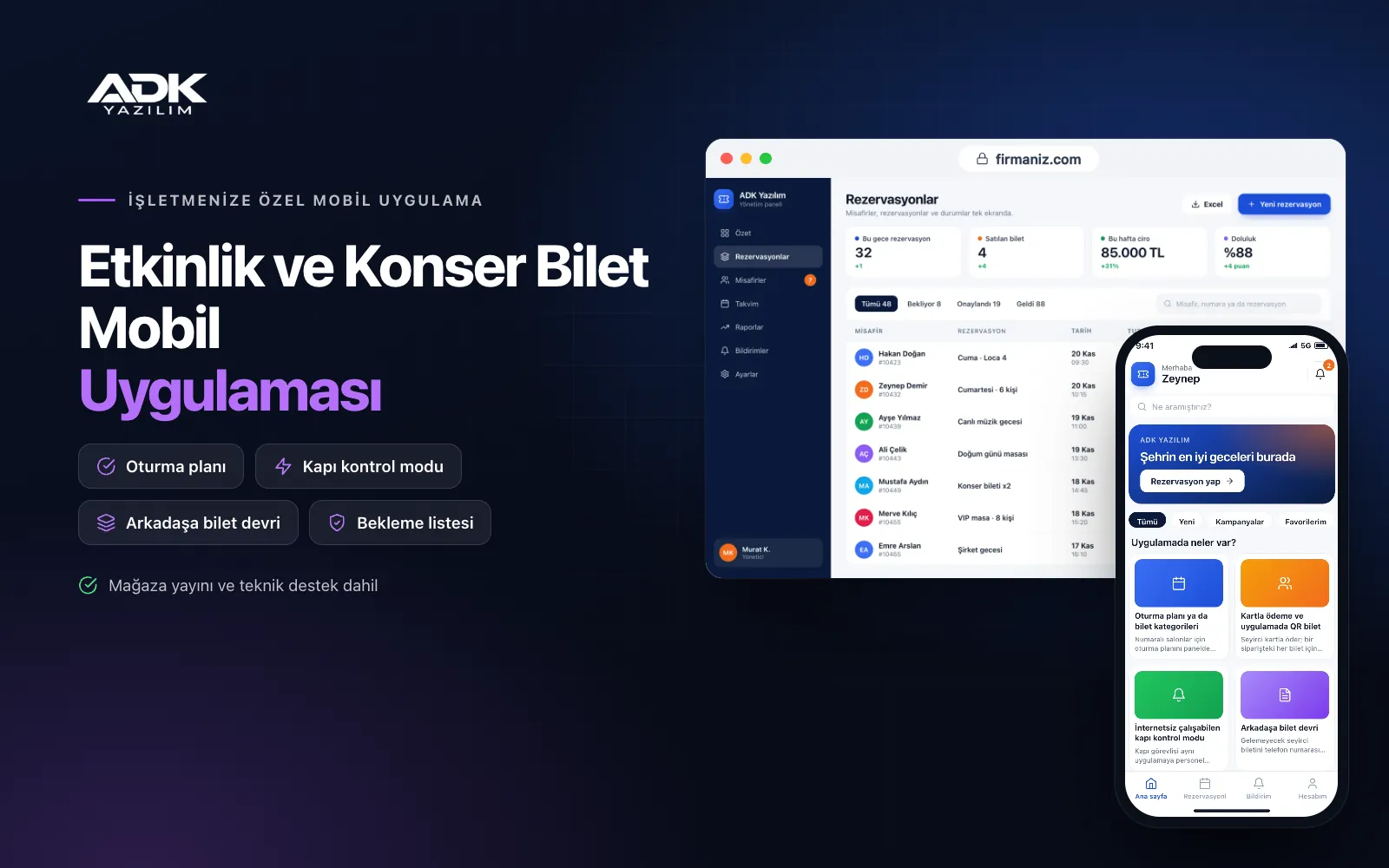
An event ticket mobile app lets promoters and venues running concerts, theatre, stand-up and festivals sell tickets directly under their own name. Audience members pick a show from the event calendar, choose a seat on the seating plan or a ticket category, and pay by card; the ticket then sits in the app as a QR code. At the door staff scan it in the same app’s gate scanning mode, so fake and reused tickets do not get in.
Unlike a web-based ticketing website, the app stays on the audience’s phones: new event announcements arrive as notifications, people on the waiting list for a sold-out show are told when a place opens up, and anyone who cannot attend transfers their ticket to a friend in the app. The app is published under your company’s name on Google Play, on the App Store or on both, and your audience list stays with you.
Who is it for?
- Concert promoters: Companies that want to build their own audience and sell tickets without intermediaries.
- Theatres and performance halls: Venues bringing seat-selection sales and door control into one app.
- Live music venues and clubs: Venues announcing their weekly line-up to regular followers by notification.
- Festival and city event organisers: Organisers needing fast entry that copes with patchy internet.
- Cultural centres and associations: Organisations running their event calendar and ticket sales under their own name.
Features that run ticketing from sale to entry
Seating plans or ticket categories
For numbered halls you draw the seating plan once in the panel as blocks, rows and seats; audience members pick a seat on the plan, and it cannot be sold to anyone else while they pay. For standing events you define categories such as early bird, general admission or front of stage, each with its own capacity. Sales close automatically when a category is full.
Card payment and QR tickets in the app
Audience members pay by card, and each ticket in an order gets its own QR code under “My tickets” in the app. Tickets open without internet and are scanned straight from the phone screen at the door. You set price options such as discount codes, student tickets and group tickets for each event.
Gate scanning mode that works offline
Door staff sign in to the same app with a staff account and switch to gate scanning mode. The ticket list is downloaded to the phone before the event, so scanning continues if the connection drops, and the records are sent to the server once it returns. Scanning a used ticket again triggers a warning, and the panel shows live entry counts by gate.
Ticket transfer to a friend
Audience members who cannot attend transfer their ticket to a friend by phone number or email; the ticket moves to the friend’s app and the old QR code stops working. You decide how close to the event transfers are allowed, or switch them off. Every transfer is recorded, helping you keep touting in check.
Waiting list and pre-event notifications
For sold-out events, audience members join a waiting list. When tickets become available through refunds or a new allocation, people on the list are notified in order and given the right to buy within the time you set. Before the event, door opening time, entrance gate and parking details are sent as reminders.
How do you get started?
- Choose your plan: Pick Starter (one platform) or Standard / Professional (Android + iOS) to match the phones your audience uses.
- Send your venue and event details: Share your seating plan, ticket categories and refund and transfer rules.
- Publishing and setup: We build the app under your company’s name, connect the payment account and handle publishing in your store accounts.
- Open sales: Publish your first event, and audiences download the app from the QR code on posters and social media posts.
Infrastructure, security and support
The app and web admin panel run on ADK infrastructure, and data is backed up every day. Ticket payments go through an iyzico or PayTR account opened in your company’s name; card details are never stored by the app or panel, and the transaction commission is paid to the payment provider. Each QR code belongs to a single ticket and is verified on the server, and door staff see only the list for the event assigned to them. The developer account for each store the app is published on is opened in your company’s name; the company pays the account fees and we handle publishing and updates.
The app is published under your company’s name in the store you choose (Google Play, the App Store or both); the web admin panel and server run on ADK infrastructure, so no separate server or domain is needed. The Google Play and Apple Developer Program accounts are opened in your company’s name; the account fees are not included, and we handle setup and publishing. The first-year fee covers brand customisation, setup, seating plan preparation and training; from the second year a yearly hosting, update and support fee applies, lower than the first-year price. You can start with one platform on Starter and move to Standard (Android + iOS) by paying the difference. Ticket payments are taken through an iyzico or PayTR account opened in your company’s name, and the transaction commission is paid to the payment provider. Connection to turnstiles and handheld terminals, integration with ticketing platforms, e-invoicing, printed tickets and SMS sending are not included and can be added through custom development.
Fast delivery
Our ready-made product foundations get your project live quickly.
Security first
Secure coding standards, encrypted connections and regular updates.
Ongoing support
Maintenance, updates and technical support after launch. We stay by your side.



