
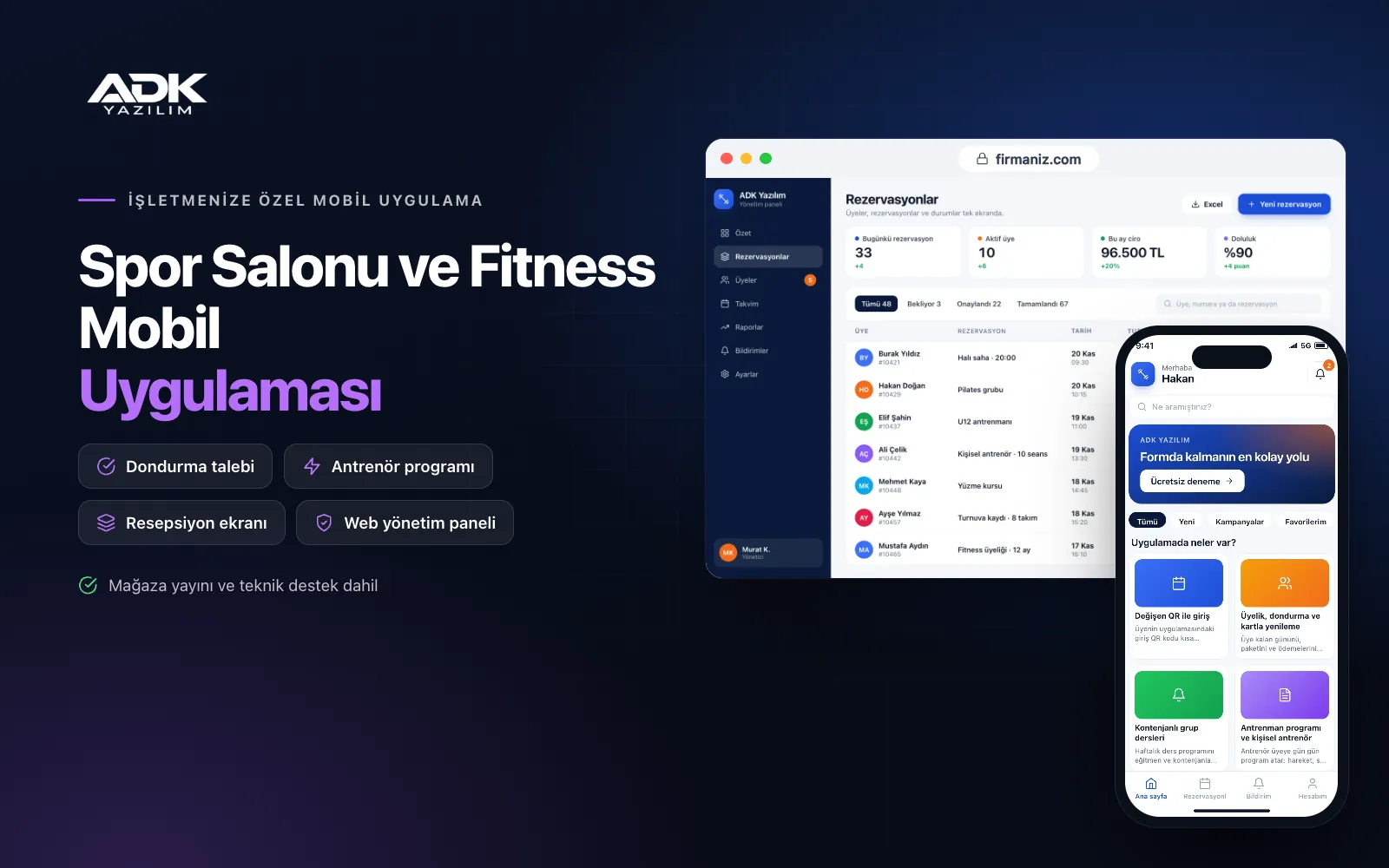
A gym mobile app is an app in your gym’s name where members handle everything from entry to their workout programme on their own phones. They never forget their card, stop asking reception how many days they have left and no longer phone to check whether a class still has space. The programme your trainer prepared sits in their pocket alongside the exercise videos.
On the gym side, reception has less to do: entries are recorded by QR, freeze requests arrive in the panel, classes fill up to capacity and memberships are renewed by card. An occupancy indicator based on check-ins helps members pick quieter times. The app is published under your gym’s name on Google Play, on the App Store or on both.
Who is it for?
- Fitness gyms: Businesses that want to run member entry, membership periods and promotions from one app.
- Group class studios: Studios that want to fill Pilates, yoga, spinning and functional classes in an orderly way.
- Personal training led gyms: Gyms that want to deliver trainer sessions and programmes to members consistently.
- Boutique gyms: Businesses that offer a carefully run experience to fewer members and want their brand to stand out.
- Residential and hotel gyms: Facilities that want to organise residents’ or guests’ entries and class bookings.
Every point of contact between your members and the gym
Rotating QR entry
The entry QR code in the member’s app refreshes at short intervals, so a code passed to someone else as a screenshot does not work. A tablet or phone at reception scans the code; if the membership is valid the entry is recorded, and if it has expired a warning appears. Entries are recorded without any turnstile connection, and each one appears in the member’s history.
Membership, freezes and card renewals
Members see their remaining days, plan and payments in the app. They send freeze requests with dates and a reason, and when you approve, the end date is extended automatically. Members whose membership is about to end are reminded and renew by card; payments are taken through an iyzico or PayTR account opened in your gym’s name.
Group classes with capacity
You publish the weekly class timetable with trainers and capacity. Members book a place; if the class is full they join the waiting list, and when someone cancels the next member gets the place and a notification. You set the cancellation cut-off; no-shows are recorded, and after the number you choose, booking is restricted for a short time.
Workout programmes and personal training
Trainers assign day-by-day programmes covering exercises, sets, reps and rest times, with a short video next to each exercise. Members log the weights they use and see their progress on a chart, and the trainer follows the same details in the panel. Personal training sessions are booked from the trainer’s calendar, and remaining sessions in the package are deducted automatically.
Measurements, occupancy and promotions
Weight, body fat and girth measurements appear on charts in date order. An occupancy indicator based on recent check-ins shows whether the gym is quiet or busy right now and how busy it usually is at each time of day. You announce promotions by notification to all members, to those whose membership is ending or to those who have not visited for a while.
How do you get started?
- Choose your plan: Pick Starter (one platform) or Standard / Professional (Android + iOS) to match the phones your members use.
- Send your gym details: Share your logo, colours, membership plans, class timetable, trainers and exercise videos.
- Publishing and setup: We build the app under your gym’s name and handle publishing in your store accounts.
- Invite your members: Existing members are imported from Excel with their remaining days and join through the QR poster at reception.
Infrastructure, security and support
The app and web admin panel run on ADK infrastructure, and data is backed up every day. Entry QR codes are verified on the server and expire quickly. Members see only their own membership, payment and measurement details, and trainers see only the programmes and measurements of members assigned to them. Card details are never stored by the app or the panel. The developer account for each store the app is published on is opened in your gym’s name; the gym pays the account fees and we handle publishing and updates.
The app is published under your gym’s name in the store you choose (Google Play, the App Store or both); the web admin panel and server run on ADK infrastructure, so no separate server or domain is needed. The Google Play and Apple Developer Program accounts are opened in your gym’s name; the account fees are not included, and we handle setup and publishing. The first-year fee covers brand customisation, setup, import of members and remaining days from Excel and remote training; from the second year a yearly hosting, update and support fee applies, lower than the first-year price. You can start with one platform on Starter and move to Standard (Android + iOS) by paying the difference. Membership payments are taken through an iyzico or PayTR account opened in your gym’s name; the transaction commission is paid to the payment provider. A tablet or phone for reception and filming of exercise videos are not included. Turnstile and door system connections, multiple branches, smartwatch connections and SMS sending are not included and can be added through custom development.
Fast delivery
Our ready-made product foundations get your project live quickly.
Security first
Secure coding standards, encrypted connections and regular updates.
Ongoing support
Maintenance, updates and technical support after launch. We stay by your side.



