
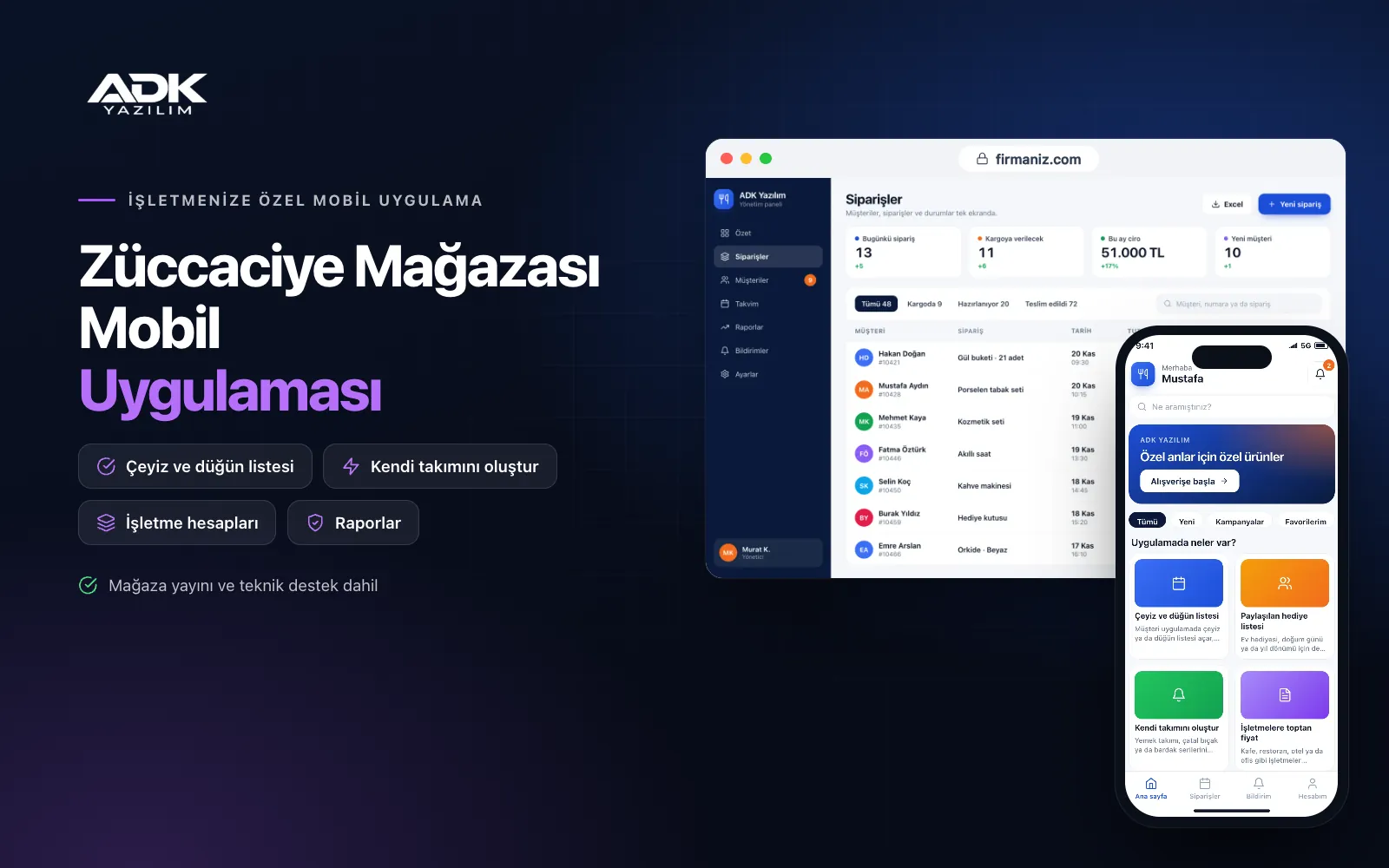
A homeware store mobile app brings your kitchenware and household shop to your customers’ phones under your store’s name. Customers browse dinner services, cookware sets, glassware and cutlery ranges by category, and build their own set by choosing how many place settings and which pieces they want from a range. They pay by card and have it delivered, or collect it from your shop.
The most useful part of the app is the wedding and dowry list. The couple build a list of the items they would like and share its link with family and friends, who see which items are still needed and buy them, so nothing is bought twice. Registered business customers such as cafés, restaurants and hotels see the wholesale prices you set for them. The app is published under your store’s name on Google Play, on the App Store or on both.
Who is it for?
- Kitchenware and homeware shops: Businesses with a busy wedding season that want to keep customers all year round.
- Home textile and décor shops: Stores that also sell bedding, towels and decorative items.
- Dowry and bridal home shops: Businesses preparing lists for couples and making shopping easier for their families.
- Hotel, café and restaurant suppliers: Companies selling to businesses at wholesale prices alongside retail.
- Chains with several branches: Businesses that want orders delivered from the nearest branch.
Features that drive sales from wedding lists to the kitchen
Wedding and dowry lists
The customer opens a wedding or dowry list in the app and adds items from the catalogue with quantities. They share the list’s link with family and friends, who see in the app which items have been bought and which are still waiting, and buy whatever they choose. Bought items are marked on the list, so the same gift is not bought twice. Staff record in-store purchases on the list from the panel.
Shareable gift lists
Lists can also be opened for a housewarming, a birthday or an anniversary. The list owner sets the delivery address and date; the buyer can add their name and a short note or choose to stay anonymous. Gifts are held in store or sent together to the list owner’s address. The owner sees who bought what in the app.
Build your own set
You define dinnerware, cutlery and glassware ranges piece by piece. The customer chooses a range, the number of place settings and the pieces they want, and the app calculates the total at once. You set the set discount rule that applies when a given number of pieces is bought from the same range. Missing pieces can be added from the same range later.
Wholesale prices for businesses
Cafés, restaurants, hotels and offices apply for a business account in the app, and you approve them. An approved account sees the price list you assign, minimum order quantities and case prices. These orders are listed separately in the panel, and payment is made by card or, with your approval, by bank transfer.
Home delivery, card payments and campaigns
Card payments are taken through an iyzico or PayTR account opened in your business’s name. You define the areas and days you deliver with your own vehicle, and other addresses are sent by courier. Order ready, on the way and delivered notifications reach the customer. Seasonal, wedding season and sale campaigns are announced by notification.
How do you get started?
- Choose your plan: Pick Starter (one platform) or Standard / Professional (Android + iOS) to match the phones your customers use.
- Send your products: Share your logo, colours, an Excel product list, range and piece details, delivery areas and wholesale price lists.
- Publishing and setup: We connect your payment account, build the app under your store’s name and publish it in your store accounts.
- Invite your customers: Give the app’s QR code to couples opening a list in store and to your business customers.
Infrastructure, security and support
The app and web admin panel run on ADK infrastructure, and data is backed up every day. A list is visible only to people who have its link, and the delivery address is not shown to those viewing it. Wholesale prices are open only to approved business accounts, and card details are never stored in the app. Panel users sign in with their own passwords and according to their permissions. The developer account for each store the app is published on is opened in your business’s name; the business pays the account fees and we handle publishing and updates.
The app is published under your store’s name in the store you choose (Google Play, the App Store or both); the web admin panel and server run on ADK infrastructure, so no separate server or domain is needed. The Google Play and Apple Developer Program accounts are opened in your business’s name; the account fees are not included, and we handle setup and publishing. The first-year fee covers brand customisation, setup, initial configuration, product import from Excel and remote training; from the second year a yearly hosting, update and support fee applies, lower than the first-year price. You can start with one platform on Starter and move to Standard (Android + iOS) by paying the difference. Card payments are taken through an iyzico or PayTR account opened in your business’s name, and transaction fees are paid to the payment provider. Account and credit terms tracking for business customers, automatic sync with till or accounting software, automatic courier shipments, e-invoicing and SMS sending are not included and can be added through custom development.
Fast delivery
Our ready-made product foundations get your project live quickly.
Security first
Secure coding standards, encrypted connections and regular updates.
Ongoing support
Maintenance, updates and technical support after launch. We stay by your side.



