
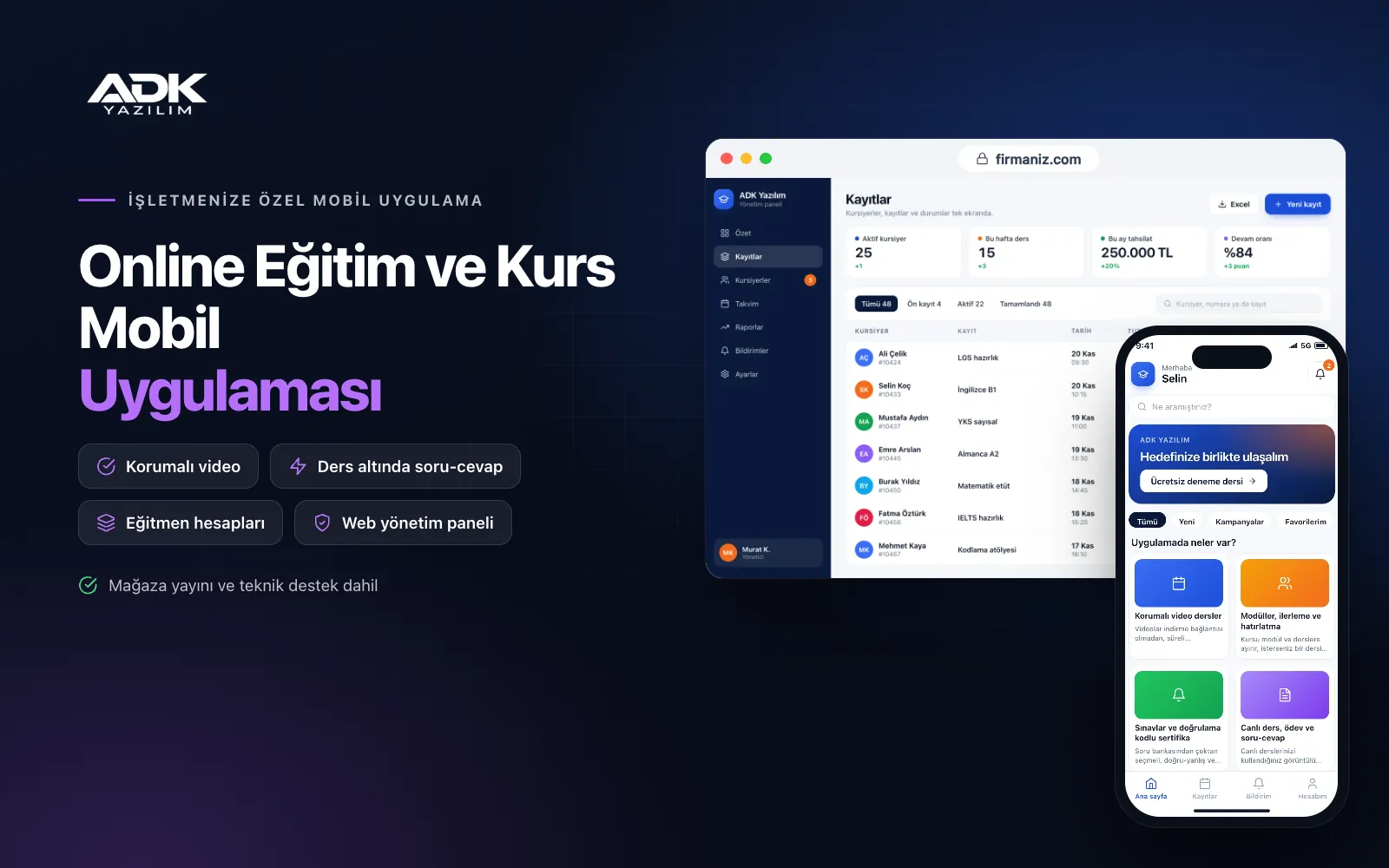
An online learning mobile app puts your courses in your students’ pockets under your institution’s name. Students no longer log in through a browser or hunt for passwords; they open the app and carry on from the lesson where they stopped. Video lessons, modules, exams, assignments and live lesson links sit in one place, and a notification arrives when a new lesson is added or a live class is about to start.
Your videos play through protected streaming with a watermark showing the student’s name, and account sharing is held back by a device limit. Courses are sold by card, and students who pass the exam receive a certificate with a verification code. The app is published under your institution’s name on Google Play, on the App Store or on both, and if you already use web-based learning (LMS) software, it can also serve as its mobile channel.
Who is it for?
- Training institutes and academies: Organisations that want to deliver certified programmes on mobile in a tidy, secure way.
- Course centres: Centres that want to support classroom teaching with video lessons, assignments and exams.
- Independent educators: Trainers who want to sell and run their own courses in an app under their own name.
- In-house training teams: Companies that want to deliver mandatory and development training to staff on their phones.
- Associations and professional bodies: Organisations offering members seminar recordings and certified training.
Features that keep learners going
Protected video lessons
Videos stream through time-limited links with no download link. The student’s name and email appear as a semi-transparent watermark that moves around the screen; screenshots are blocked on Android, and on iOS the video is hidden when screen recording starts. Each account opens on the number of devices you set in the panel, which limits account sharing automatically.
Modules, progress and reminders
You divide each course into modules and lessons and can choose to unlock a lesson only after the previous one is complete. Students see their progress percentage and resume a video from the second they stopped. Students who have not opened a lesson for the number of days you choose receive a reminder, and the panel lists learners at risk of dropping out so you can contact them.
Exams and certificates with verification codes
You build timed exams from a question bank with multiple-choice, true-or-false and open-ended questions, and multiple-choice answers are marked automatically. Students who reach the pass mark receive a PDF certificate with their name, the course title and the date. Every certificate has a verification code, so an employer or organisation can confirm it on the verification page.
Live lessons, assignments and Q&A
You add live lessons to the calendar with the link from the video meeting service you use; students are notified before the start and join from the app. They upload assignments as photos or PDFs and see the tutor’s mark and comments in the app. Questions can be asked under every lesson, and the tutor’s answer helps the other students too.
Card course sales and group enrolment
You publish courses with a price, coupon codes and an early-booking period; payments are taken through an iyzico or PayTR account opened in your institution’s name, and the purchased course opens in the student’s account straight away. For company and institutional clients you create group enrolment codes and follow the progress of everyone who joined with a code in a single report.
How do you get started?
- Choose your plan: Pick Starter (one platform) or Standard / Professional (Android + iOS) to match the phones your students use.
- Prepare your content: Share your logo, colours, course list, videos, exam questions and certificate design.
- Publishing and setup: We build the app under your institution’s name, upload your first courses and publish it in your store accounts.
- Invite your students: Existing students are imported from Excel, and new students download the app from the store and sign up.
Infrastructure, security and support
The app and web admin panel run on ADK infrastructure, and data is backed up every day. Videos are kept in a protected area and open only for signed-in students enrolled on the course, through time-limited links. Card details are never stored by the app or the panel; they are processed on the payment provider’s secure page. Tutors sign in to the panel with their own passwords and see only the students, assignments and questions for their own courses. The developer account for each store the app is published on is opened in your institution’s name; the institution pays the account fees and we handle publishing and updates.
The app is published under your institution’s name in the store you choose (Google Play, the App Store or both); the web admin panel and server run on ADK infrastructure, so no separate server or domain is needed. The Google Play and Apple Developer Program accounts are opened in your institution’s name; the account fees are not included, and we handle setup and publishing. The first-year fee covers brand customisation, setup, uploading your first courses, student import from Excel and remote training; from the second year a yearly hosting, update and support fee applies, lower than the first-year price. You can start with one platform on Starter and move to Standard (Android + iOS) by paying the difference. 100 GB of video storage is included. Course payments are taken through an iyzico or PayTR account opened in your institution’s name; the transaction commission is paid to the payment provider. Selling digital content inside the app is subject to Google Play and App Store payment rules; the purchase flow is agreed with you before publishing in line with those rules, and store commission applies where in-app purchases are required. Video filming and editing, extra video storage, Ministry of Education approved certificates and e-invoice connections are not included and can be added through custom development.
Fast delivery
Our ready-made product foundations get your project live quickly.
Security first
Secure coding standards, encrypted connections and regular updates.
Ongoing support
Maintenance, updates and technical support after launch. We stay by your side.



