
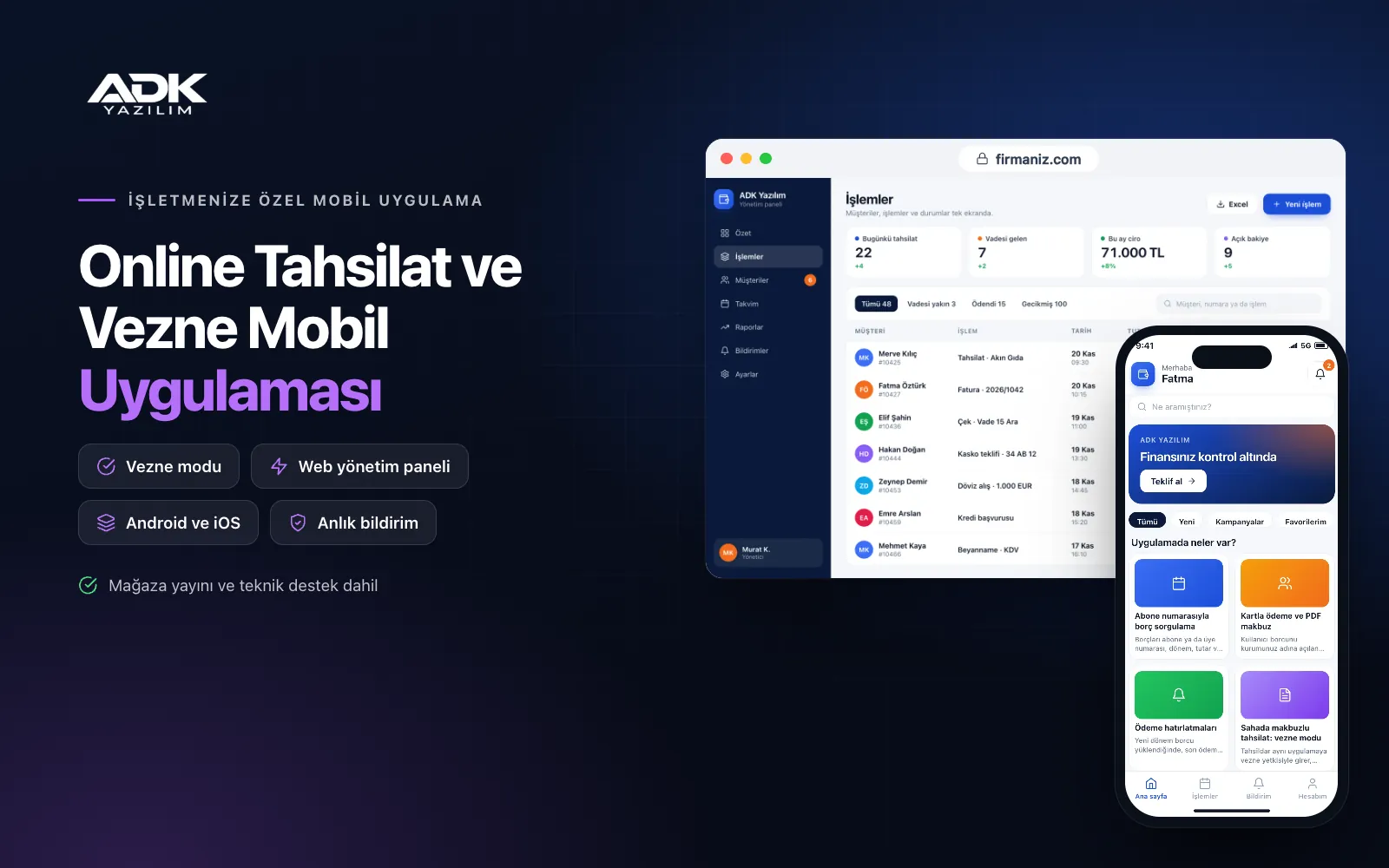
An online payments app lets your subscribers and members see what they owe on their phone and pay by card, while your field collectors use the same app to take payments and issue receipts. Collecting money often means queues at the cash desk, subscriber numbers lost in transfer references and a till that does not balance at night. This app brings the whole flow, from balance lookup to reconciliation, into one system.
Balances are loaded period by period from Excel; paid debts close straight away, and those who have not paid are notified before the due date. Bank transfers are matched using the statement file. The app is published under your institution’s name on Google Play, on the App Store or on both.
Who is it for?
- Municipalities and affiliated bodies: Units that want citizens to pay rents, occupation charges or service fees from their phones.
- Water and irrigation cooperatives: Cooperatives that load balances after meter reading and collect payments village by village.
- Site and housing managements: Managers who want service charges paid flat by flat and bank transfers matched with ease.
- Schools and courses: Institutions that want to remind parents about instalments, meals and transport fees and collect them by card.
- Cooperatives and associations: Organisations collecting member dues or contributions on a regular basis.
The payment flow from balance to reconciliation
Balance lookup by subscriber number
You load balances from an Excel file with the subscriber or member number, period, amount and due date. Users link their number to their account once, confirmed by a second detail of your choice. An owner with two flats sees every balance on one screen. An automatic link to your existing billing system can be added through custom development.
Card payments and PDF receipts
Users pay by card through an iyzico or PayTR account opened in your institution’s name, with transaction fees paid to the payment provider. You decide whether part payments are allowed. Once the payment is approved, the balance closes, a numbered receipt arrives in the app as a PDF, and past receipts can be downloaded at any time.
Payment reminders
Users receive an app notification when a new period’s balance is loaded, before the due date and when a payment is overdue, on the days you choose. Notifications are free, and no SMS is sent unless your institution’s own SMS provider account is connected.
Receipted field collection: cashier mode
Collectors sign in to the same app with cashier permissions, find the subscriber by number, name or the QR code on the balance notice, and record the cash payment. The receipt is shown on screen as a PDF or shared by WhatsApp. In villages without coverage, records wait on the phone and are sent to the server when the connection returns, and the same balance cannot be collected twice.
Daily cash report and handover
Each cashier’s cash and card takings for the day are totalled separately. At the end of the day the collector hands over the cash, and the supervisor confirms the amount received; any difference is flagged in the report. The report can be filtered by date, user and area and exported as PDF or Excel.
Bank statement matching
You upload the account transactions Excel file from your bank to the panel. The system compares the subscriber number in the reference and the amount with open balances, and marks matching transfers as paid. Unmatched lines stay on a separate list for you to link by hand, and no line can be processed twice.
How do you get started?
- Choose your plan: Pick Starter (one platform) or Standard / Professional (Android + iOS) to match the phones your subscribers and collectors use.
- Send your subscriber and balance lists: Share your logo, colours, subscriber list and current balances as Excel, and open your payment provider account.
- Publishing and setup: We load the balances, connect the payment account and publish the app under your institution’s name in your store accounts.
- Tell subscribers: Invite them with a QR code on balance notices, at the cash desk and on notice boards.
Infrastructure, security and support
The app and web admin panel run on ADK infrastructure, data is backed up every day and connections are encrypted. Card details are never stored in the app or on the server; payment is taken on the payment provider’s secure screen. Users see only their own balances and receipts, collectors sign in with their own passwords and work only in their assigned area, and every collection is logged with the user and time. The developer account for each store the app is published on is opened in your institution’s name; the institution pays the account fees and we handle publishing and updates. From the second year a lower yearly update and support fee applies.
The app is published under your institution’s name in the store you choose (Google Play, the App Store or both); the web admin panel and server run on ADK infrastructure, so no separate server or domain is needed. The Google Play and Apple Developer Program accounts are opened in your institution’s name; the account fees are not included, and we handle setup and publishing. The first-year fee covers brand customisation, setup, subscriber and balance import from Excel and remote training; from the second year a yearly hosting, update and support fee applies, lower than the first-year price. You can start with one platform on Starter and move to Standard (Android + iOS) by paying the difference. Card payments are taken through an iyzico or PayTR account opened in your institution’s name, with transaction fees paid to the payment provider. An automatic link to your billing system, bank APIs, e-invoicing and e-archive, thermal printer connection and SMS sending are not included and can be added through custom development.
Fast delivery
Our ready-made product foundations get your project live quickly.
Security first
Secure coding standards, encrypted connections and regular updates.
Ongoing support
Maintenance, updates and technical support after launch. We stay by your side.



