
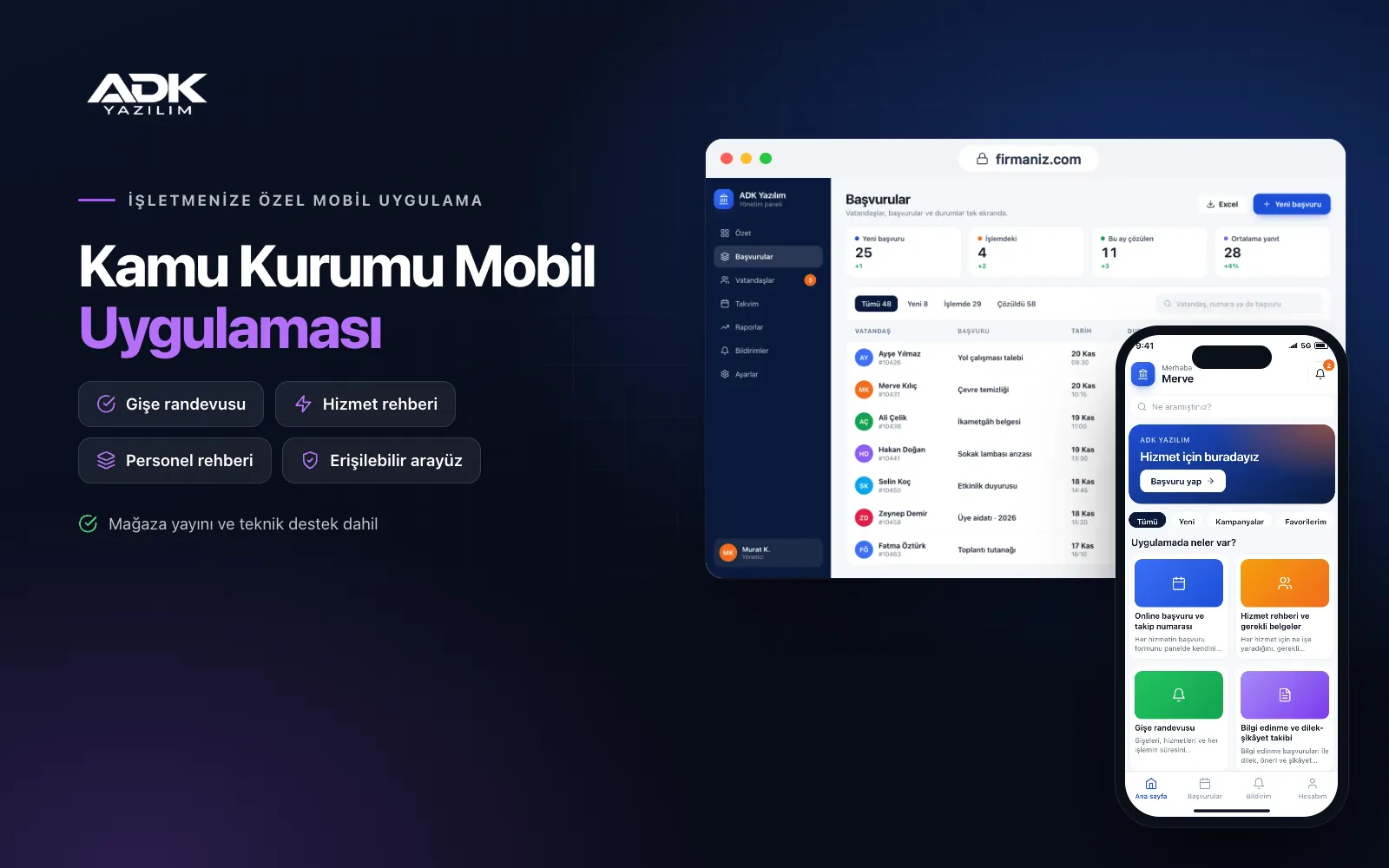
A public institution mobile app lets citizens start their business with your institution without queuing or ringing the switchboard again and again. Questions such as “which documents do I need?”, “which counter do I go to?” and “what is happening with my application?” keep the information desk and phone lines busy today. The app brings the service guide, online application forms, counter appointments and application tracking together, so citizens arrive with complete documents and a confirmed appointment.
Provincial directorates, universities, chambers and other public bodies share announcements free of charge as app notifications, and information requests and complaints are answered in the panel with their deadlines in view. The app is published under your institution’s name on Google Play, on the App Store or on both.
Who is it for?
- Provincial and district directorates: Units that serve citizens face to face and handle a heavy flow of applications, appointments and announcements.
- Universities: Institutions that want student and applicant forms, announcements and department contacts in a single app.
- Chambers and trade bodies: Organisations offering members document applications, appointments and announcements by phone.
- Affiliated public bodies: Institutions that want to record beneficiary or subscriber applications and handle them by tracking number.
Features that shorten the citizen’s journey
Online applications with tracking numbers
You build the application form for each service yourself in the panel, with text, date and choice fields and mandatory document uploads. Citizens fill in the form, attach documents as photos or PDFs, and the application is saved with a tracking number. As its status changes to “received”, “under review”, “documents missing” or “completed”, the citizen is notified; a missing document is requested only for that field.
Service guide and required documents
For each service you describe what it is for, the documents required, any fee and the unit that handles it. Citizens save the documents as a checklist, tick off what they have prepared and open an application or appointment from the list in one tap. Fewer people arrive with missing paperwork or need to come back a second time for the same matter.
Counter appointments
You define counters, services and how long each transaction takes, and the app shows only free slots. The appointment slip sits on the citizen’s phone with a QR code, and a reminder arrives beforehand. Staff scan the code to mark arrival; public holidays, staff leave and daily capacity are managed in the panel, and cancelled slots open up again.
Information requests and complaints
Freedom of information requests are kept separate from wishes, suggestions and complaints. Each one is assigned to the relevant unit, and requests approaching or past the response time you set in the panel are highlighted in colour. The reply arrives in the citizen’s app, and the report screen shows the number of requests and the average response time by unit.
Announcements, staff directory and accessibility
You publish announcements and news by unit or topic and send the important ones as notifications. The staff directory can be searched by unit, title and extension number, and you decide who is listed. The interface is built to be accessible with large text, high contrast and screen reader labels, and the data protection notice and explicit consent sit inside the forms.
How do you get started?
- Choose your plan: Pick Starter (one platform) or Standard / Professional (Android + iOS) to match the phones your citizens use.
- Define your services: Share your logo, colours, service list, required documents, counters and staff directory as Excel or other files.
- Publishing and setup: We set up the application forms and appointment calendar with you and publish the app in your store accounts.
- Tell citizens: Point people to the app with QR posters in the waiting area, at the information desk and on your website.
Infrastructure, security and support
The app and web admin panel run on ADK infrastructure, data is backed up every day and connections are encrypted. Citizens see only their own applications and documents; uploaded files are kept in a protected area and can be opened in the panel only by the authorised unit. Panel users sign in with their own passwords and unit permissions, and every action on an application is logged. The developer account for each store the app is published on is opened in your institution’s name; the institution pays the account fees and we handle publishing and updates. From the second year a lower yearly update and support fee applies.
The app is published under your institution’s name in the store you choose (Google Play, the App Store or both); the web admin panel and server run on ADK infrastructure, so no separate server or domain is needed. The Google Play and Apple Developer Program accounts are opened in your institution’s name; the account fees are not included, and we handle setup and publishing. The first-year fee covers brand customisation, setup, service and staff import from Excel and remote training; from the second year a yearly hosting, update and support fee applies, lower than the first-year price. You can start with one platform on Starter and move to Standard (Android + iOS) by paying the difference. Sign-in through e-Devlet, connections to EBYS and other official systems, e-signatures, online fee collection and SMS sending are not included and can be added through custom development.
Fast delivery
Our ready-made product foundations get your project live quickly.
Security first
Secure coding standards, encrypted connections and regular updates.
Ongoing support
Maintenance, updates and technical support after launch. We stay by your side.



