
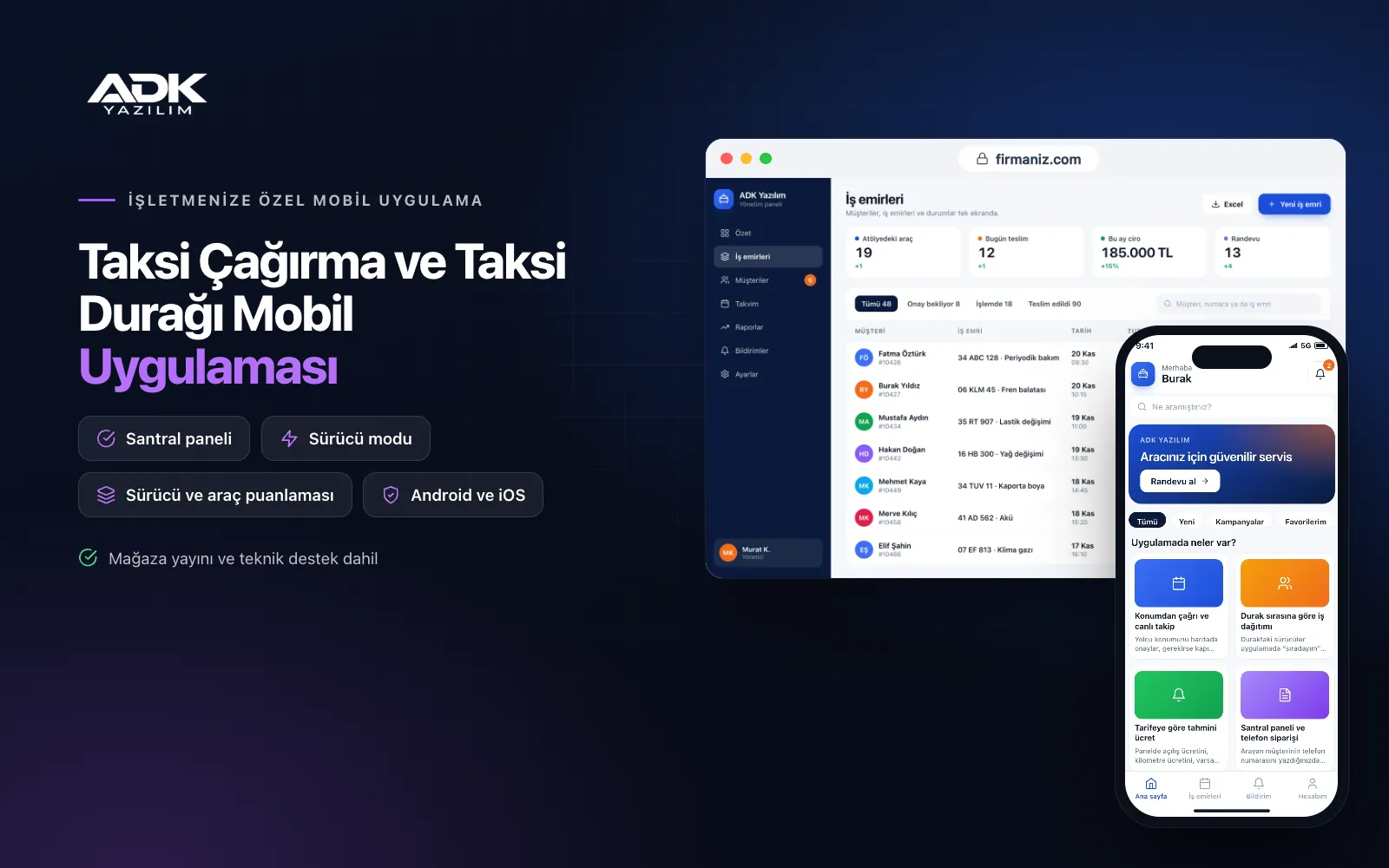
A taxi booking mobile app sits on your passengers’ phones with the name of your taxi rank or cooperative. Passengers confirm where they are on the map and call a taxi in one tap, and the job goes to a driver according to the rank queue. The assigned car’s number plate and the driver’s name and photo appear on screen, and passengers watch the car approach on the map. Fewer calls ask “when will the car arrive?”, and passengers who would hang up on a busy line still reach you.
The app has three sides: passenger, driver and dispatcher. Drivers accept jobs and head to the address with their navigation app, while the dispatcher enters phone orders in the panel and adds them to the same queue. Fare estimates are calculated from the taximeter tariff you enter in the panel. The app is published under your rank’s name on Google Play, the App Store or both, so next time passengers open your app rather than a generic one.
Who is it for?
- Taxi ranks: Ranks that take bookings by phone and want to share jobs among drivers fairly and in turn.
- Taxi cooperatives: Organisations that want to bring the cars in an area onto one booking line and one dispatch screen.
- Ranks near airports, hotels and hospitals: Ranks that want to send cars quickly to regular customers and reception desk requests.
- Ranks in tourist areas: Ranks that want to show visitors the car and an estimated fare in English.
- Ranks building their brand: Businesses that want to appear in the stores under their own name.
Features for passengers, drivers and dispatchers
Booking from your location and live tracking
Passengers confirm their location on the map and can add a note such as “hospital emergency entrance”. Once a driver is assigned, the plate, car model, driver’s name and photo appear and the car’s approach is shown on the map, with an alert when it reaches the kerb. After the journey passengers rate the driver and the car, and ratings are tracked per driver.
Job allocation by rank queue
Drivers at the rank mark themselves as “in the queue”; a booking is offered to the first driver in line and passes to the next if it is not accepted within the time you set. Drivers returning from a job join the back of the queue. Everyone sees the same queue, which ends arguments about who gets the work, and the dispatcher can still assign jobs by hand.
Fare estimates from your tariff
In the panel you enter the starting fare, the price per kilometre, any night tariff and the waiting charge. When passengers type their destination, the app shows an estimated fare based on the route length and states clearly that the final fare is set by the taximeter. When the tariff changes you simply update the figures.
Dispatcher panel and phone orders
When you type a caller’s number, the addresses they used before are listed and you create the order on a single screen. Phone orders join the same queue as app bookings and reach drivers in the same way. Waiting, en route and completed jobs appear live in the panel, with a daily report of jobs per driver.
Driver mode and navigation hand-off
Drivers sign in to the same app with their own accounts: they accept a job and mark the steps “on my way”, “at the kerb”, “passenger on board” and “finished”. The address opens in the phone’s map app with one tap. A driver’s location is shared only while a job is in progress and stops when the job ends or the driver goes off duty.
How do you get started?
- Choose your plan: Pick Starter (one platform) or Standard / Professional (Android + iOS) to match the phones your passengers and drivers use.
- Send your rank details: Share your logo, colours, rank address, service area, taximeter tariff and your list of drivers and cars.
- Publishing and setup: We build the app under your rank’s name, open the driver accounts and handle publishing in your store accounts.
- Invite your passengers: With QR stickers in the cars, a poster at the rank and business cards, passengers download the app and make their first booking.
Infrastructure, security and support
The app and web admin panel run on ADK infrastructure, data is backed up every day and connections are encrypted. A driver’s location is collected only while a job is in progress, and passengers see only their own journey and the car assigned to them. Dispatchers and managers sign in with their own passwords and according to their permissions. The developer account for each store the app is published on is opened in your rank’s name; the rank pays the account fees and we handle publishing and updates.
The app is published under your rank’s name in the store you choose (Google Play, the App Store or both); the web admin panel and server run on ADK infrastructure, so no separate server or domain is needed. The Google Play and Apple Developer Program accounts are opened in your rank’s name; the account fees are not included, and we handle setup and publishing. The first-year fee covers brand customisation, setup, data import from Excel and remote training; from the second year a yearly hosting, update and support fee applies, lower than the first-year price. You can start with one platform on Starter and move to Standard (Android + iOS) by paying the difference. Fare estimates are for information only; the final fare is set by the taximeter. In-app card payments, SMS sending, connection to taximeters or in-car devices and integration with a telephone switchboard are not included and can be added through custom development.
Fast delivery
Our ready-made product foundations get your project live quickly.
Security first
Secure coding standards, encrypted connections and regular updates.
Ongoing support
Maintenance, updates and technical support after launch. We stay by your side.



