
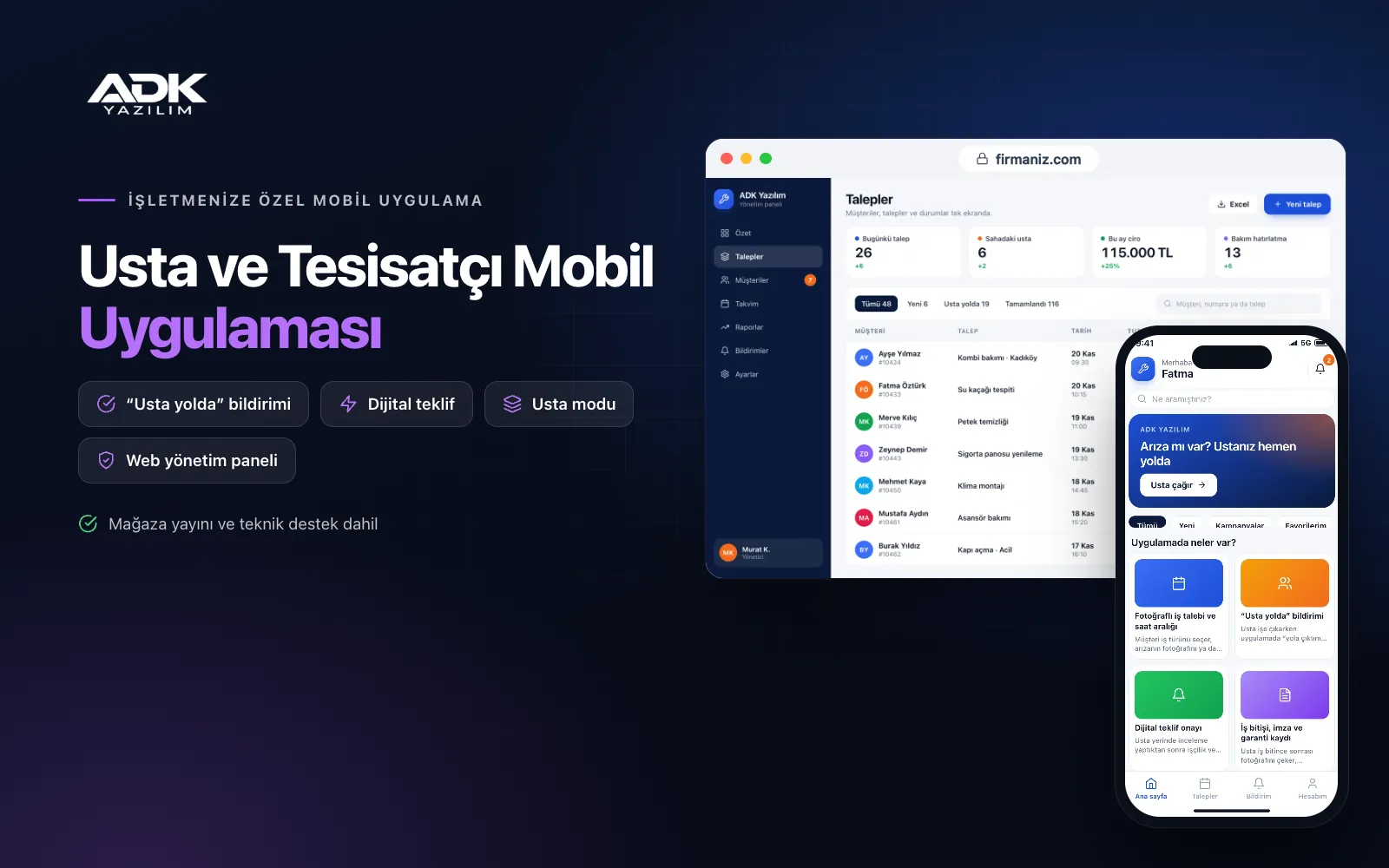
A plumber mobile app lets your customers photograph the problem and send it to you with their address, instead of trying to describe it over the phone. Customers pick a time slot, are notified when the job is confirmed and when the technician sets off, and see and approve the price quote in the app. When the job is done, photos of the work, the materials used and the job warranty stay in the customer’s app.
The same app becomes a daily job list for your technicians: address, fault photos, customer notes, materials used and the customer’s on-screen signature. Customers whose boiler, air conditioning or water filter you service are reminded when the next service is due, and the next job follows naturally. The app is published under your company’s name on Google Play, on the App Store or on both, so the customer finds you on their phone next time.
Who is it for?
- Plumbing and sanitary installation firms: Teams who want photo requests for leaks, blockages and fittings.
- Boiler and air conditioning services: Firms wanting to remind annual service customers every year without losing them.
- Electricians and electrical firms: Tradespeople keeping quotes and job records in order for repairs and refits.
- Renovation and home maintenance firms: Businesses running several technicians across different areas each day.
- Tradespeople serving residential blocks: Teams receiving regular work from managing agents and residents.
Features from request to warranty
Job requests with photos and time slots
Customers choose the type of job, take a photo or short video of the problem, mark their address on the map and pick one of the time slots you open. The request lands in your panel, and from the photo you decide which technician and which materials are needed before anyone sets off. During the hours you enable, customers can mark a request as urgent.
“On the way” alerts
When the technician leaves, they tap “on my way” in the app; the customer receives a notification with the technician’s name, photo and an estimated arrival based on their location at that moment. Location is shared only when the technician sets off and arrives, with no tracking through the day. If running late, the technician sends a new arrival time with one tap.
Digital quote approval
After inspecting the job on site, the technician enters labour and material lines, and the app prepares a quote and sends it to the customer’s phone. The customer reviews it, approves it or asks a question, and the approval is recorded with date and time. This avoids arguments about the price at the end of the job. Ready-made price lines are set up for common jobs.
Completion, signature and warranty records
When the job is finished, the technician takes an after photo, picks the materials used from the list and asks the customer to sign on the screen. The job record sits under “My jobs” in the customer’s app with its warranty period. If something fails within the warranty, the customer opens a request linked directly to that job, and who did the original work and which materials were used is visible straight away.
Maintenance reminders and technician mode
You set service intervals for jobs such as boiler servicing, air conditioning filter cleaning and water filter changes; the customer is reminded before the interval ends and can request an appointment with one tap. In technician mode, each technician sees their own daily job list in order, with the address and a map link, and completed jobs and materials used are collected in the panel at the end of the day.
How do you get started?
- Choose your plan: Pick Starter (one platform) or Standard / Professional (Android + iOS) to match the phones your customers and technicians use.
- Define your services: Send us your job types, service area, time slots, price lines and maintenance intervals.
- Setup and publishing: We build the app under your company’s name, import your customer and maintenance lists from Excel and publish it in the store.
- Invite your customers: Customers join through a QR card left after each job or a link sent by message.
Infrastructure, security and support
The app and web admin panel run on ADK infrastructure, and data and photos are backed up every day. Customers see only their own requests, quotes and job records, and technicians can access address and contact details only for jobs assigned to them. A technician’s location is shared only at departure and arrival. The developer account for each store the app is published on is opened in your company’s name; the company pays the account fees and we handle publishing and updates.
The app is published under your company’s name in the store you choose (Google Play, the App Store or both); the web admin panel and server run on ADK infrastructure, so no separate server or domain is needed. The Google Play and Apple Developer Program accounts are opened in your company’s name; the account fees are not included, and we handle setup and publishing. The first-year fee covers brand customisation, setup, initial configuration, customer and service list import from Excel and remote training; from the second year a yearly hosting, update and support fee applies, lower than the first-year price. You can start with one platform on Starter and move to Standard (Android + iOS) by paying the difference. Notifications are sent free as app notifications; if you need SMS, your own SMS provider account is connected and SMS charges are not included. In-app card payments can be added through custom development with an iyzico or PayTR account opened in your company’s name, with transaction fees paid to the payment provider. E-invoice and e-archive connections, material stock tracking and all-day live location tracking are not included and can be added through custom development.
Fast delivery
Our ready-made product foundations get your project live quickly.
Security first
Secure coding standards, encrypted connections and regular updates.
Ongoing support
Maintenance, updates and technical support after launch. We stay by your side.



