
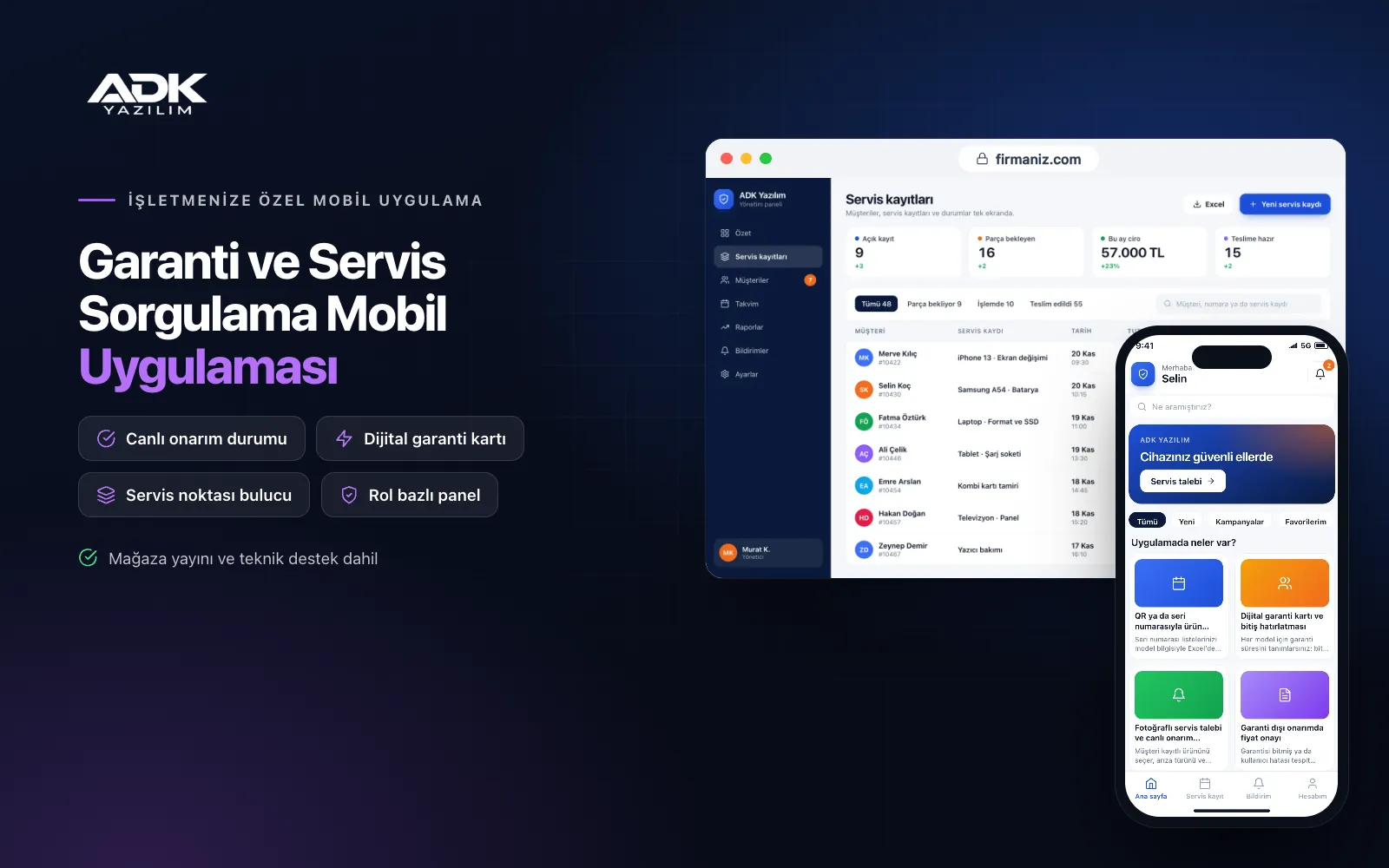
A warranty and service status app keeps the customer who bought your product connected to your brand after the sale. The customer scans the QR code on the box or enters the serial number, adds the purchase date and a photo of the invoice, and the product is kept in the app with a digital warranty card. Lost warranty documents and calls asking “when does my warranty end?” or “what is happening with my device at the service centre?” become far less frequent.
When something goes wrong, the customer opens a service request with photos in the app, and it goes to the relevant service point. Each step, from device received and diagnosis to waiting for parts and ready, reaches the customer as a notification. The panel shows common faults by model and how long service centres take. The app is published under your brand’s name on Google Play, on the App Store or on both.
Who is it for?
- Manufacturers: Makers of appliances, furniture, bicycles or heating equipment running after-sales service under their own brand.
- Importers and distributors: Brands that want to manage warranty and service in the local market from one place.
- Companies with a dealer network: Businesses that want to follow product registrations and service routing by the selling dealer.
- Authorised service networks: Service centres working for several brands that want to keep customers updated on repairs.
- Retailers with their own service: Shops that want to share warranty and repair tracking for the products they sell.
Features that bring order to after-sales service
Product registration by QR code or serial number
You upload your serial number lists with model details from Excel, and the QR code on the box label carries the model and serial number. When the customer scans it, the model fills in automatically and they add the purchase date, the dealer and an invoice photo. A serial number that is not on your list, or has already been registered, comes to you for approval, which filters out errors and duplicates.
Digital warranty cards and expiry reminders
You set the warranty period for each model, and the end date is calculated from the purchase date. Customers see the product, serial number, invoice and remaining warranty on one card and can share it as a PDF. A reminder is sent before the warranty ends, and you can add a button to request a maintenance or extended warranty offer.
Service requests with photos and live repair status
The customer selects a registered product, the fault type and a description, adds photos or a short video, and chooses drop-off or collection. The service centre updates the request in the panel through received, diagnosis, waiting for parts, under repair, ready and delivered, and each step reaches the customer as a notification.
Quote approval for out-of-warranty repairs
When a device is out of warranty or the fault is due to misuse, the service centre prepares a repair quote with parts and labour lines. The quote appears in the customer’s app, and the customer approves or declines it, with the decision logged with date and time. This prevents disputes over unapproved repairs and saves chasing approval by phone.
Service point finder, manuals and spare parts
Customers see the nearest authorised service centre on a map with its opening hours and the product groups it covers. Each model’s user manual sits as a PDF on the registered product’s page. For spare parts, customers choose from the model’s parts list; the request arrives in your panel and you reply with the price and availability.
How do you get started?
- Choose your plan: Pick Starter (one platform) or Standard / Professional (Android + iOS) to match the phones your customers use.
- Send your models and service points: Share your logo, colours, model and serial number lists, warranty periods, manuals and service points.
- QR labels and publishing: We agree the QR format for your box labels and publish the app under your brand’s name in your store accounts.
- Connect services and dealers: We open service and dealer accounts and introduce the repair steps in remote training.
Infrastructure, security and support
The app and web admin panel run on ADK infrastructure, and data is backed up every day. Customers see only their own products, warranty cards and service records. Each service point sees only the requests routed to it and each dealer only the records for its own sales, and status changes and quote approvals are logged with the user, date and time. The developer account for each store the app is published on is opened in your company’s name; the company pays the account fees and we handle publishing and updates.
The app is published under your brand’s name in the store you choose (Google Play, the App Store or both); the web admin panel and server run on ADK infrastructure, so no separate server or domain is needed. The Google Play and Apple Developer Program accounts are opened in your company’s name; the account fees are not included, and we handle setup and publishing. The first-year fee covers brand customisation, setup, initial configuration, model and serial number import from Excel and remote training; from the second year a yearly hosting, update and support fee applies, lower than the first-year price. You can start with one platform on Starter and move to Standard (Android + iOS) by paying the difference. Printing QR labels and applying them to boxes is the company’s responsibility. Official electronic warranty certificate systems, automatic links to ERP or service software, card collection of repair and spare part charges in the app (through an iyzico or PayTR account opened in your company’s name), automatic courier shipments and SMS sending are not included and can be added through custom development.
Fast delivery
Our ready-made product foundations get your project live quickly.
Security first
Secure coding standards, encrypted connections and regular updates.
Ongoing support
Maintenance, updates and technical support after launch. We stay by your side.



