
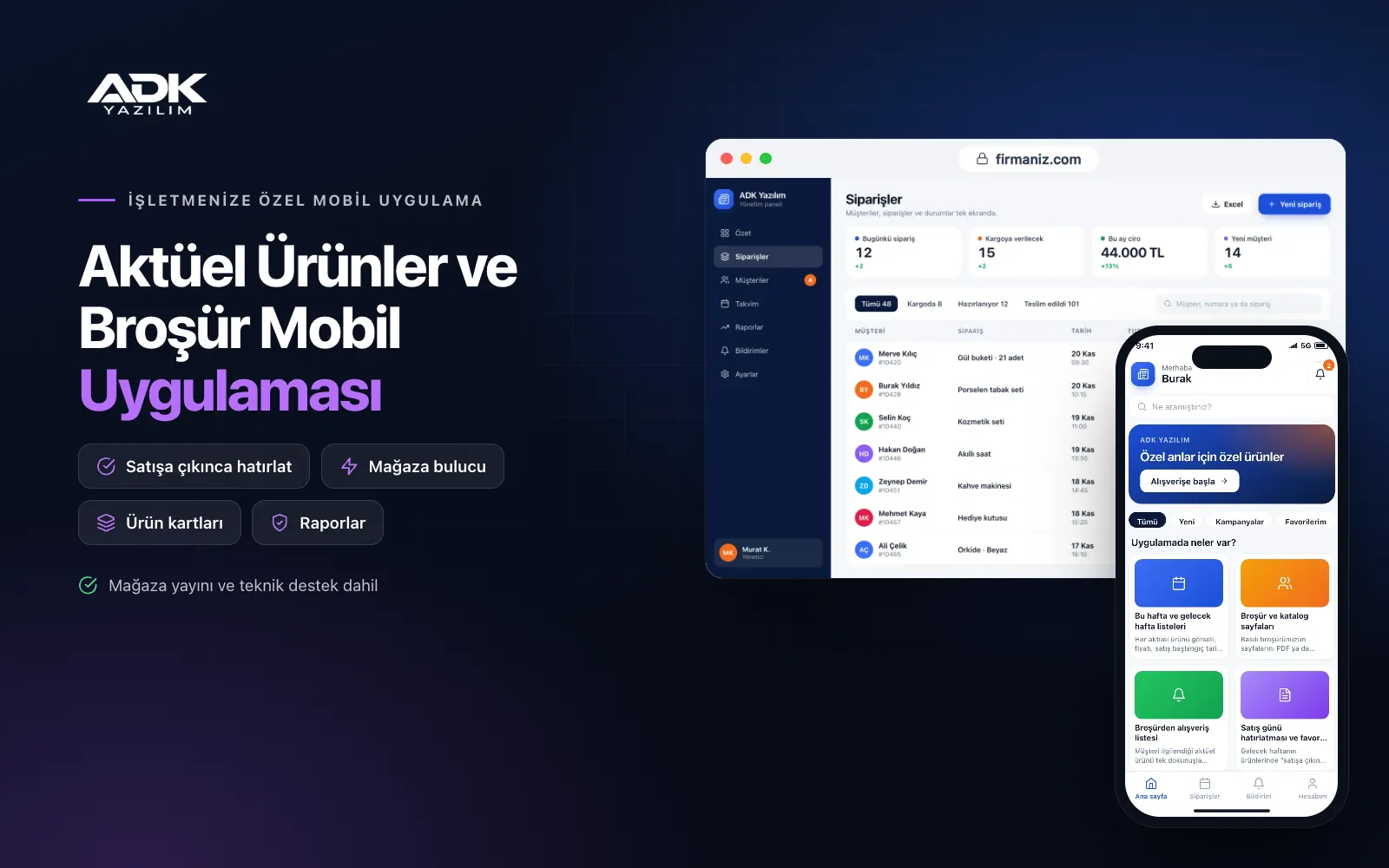
A weekly offers and catalogue mobile app brings your supermarket chain’s weekly brochure and special buys to your customers’ phones under your own name. Customers see this week’s and next week’s products in separate lists, zoom into the brochure pages and add items they like to a shopping list. On the morning of the sale day they receive a “the item you were waiting for is in store today” notification, rather than relying on a printed copy or images passed around in message groups.
The app sends customers to the right store at the right time: the nearest store, its opening hours and holiday hours appear on one screen. If you are a local publisher, you can publish the brochures of several supermarkets in your area in the same app. The app is published under your organisation’s name on Google Play, on the App Store or on both.
Who is it for?
- Regional supermarket chains: Businesses that want to announce their weekly special buys digitally as well as in print.
- Local publishers and city guides: Publishers offering readers the brochures of the area’s supermarkets in one app.
- DIY and electronics chains: Stores that regularly publish seasonal catalogues and promotional products.
- Wholesale and cash and carry stores: Businesses sending weekly deal lists to trade customers.
- Co-operative and municipal markets: Organisations announcing discounted products and branch hours to the public.
Features that turn a brochure into shopping
This week and next week lists
You enter each special buy with its image, price, sale start date and category, or upload them in bulk from Excel. The app places products under “this week” and “next week” by date on its own: an item moves to this week when its sale date arrives and is taken down when it expires. You do not have to rearrange the lists every week.
Brochure and catalogue pages
You upload the pages of your printed brochure as a PDF or images, and customers swipe through and zoom in to read them. Because brochure products are also listed as product cards, they can be found with search and category filters. Past brochures stay in an archive, or you can show only the current ones.
Shopping lists from the brochure
Customers add any special buy to their shopping list in one tap and can write their own notes on the list too. In store they tick off what they have bought. They can share the list with family, and items not yet on sale appear on the list with their dates, so customers can plan their shopping around sale days.
Sale day reminders and favourite categories
Next week’s products have a “remind me when it’s on sale” button, and a notification is sent on the morning of the sale day. Customers choose favourite categories such as electronics, kitchen, garden or textiles and are notified only about new special buys in those categories. You set the notification time and frequency in the panel.
Store finder and opening hours
You enter your stores with address, location, phone number and opening hours, and set holiday and special day hours separately. Customers see the nearest store by distance and open directions in the phone’s maps app. The list shows whether each store is open or closed at that moment.
How do you get started?
- Choose your plan: Pick Starter (one platform) or Standard / Professional (Android + iOS) to match the phones your customers use.
- Send your stores and first brochure: Share your logo, colours, store list, opening hours and the first week’s product list in Excel.
- Publishing and setup: We build the app under your organisation’s name, publish it in your store accounts and set up your weekly upload routine with you.
- Invite your customers: Put the app’s QR code on the printed brochure cover, at the tills and at store entrances.
Infrastructure, security and support
The app and web admin panel run on ADK infrastructure, and data is backed up every day. The app can be used without signing up; shopping lists and reminders are kept on the phone, and customers who open an account can move their list to another phone. Location is used only while the app is open and with permission, to show the nearest store. Panel users sign in with their own passwords and according to their permissions. The developer account for each store the app is published on is opened in your organisation’s name; the organisation pays the account fees and we handle publishing and updates.
The app is published under your organisation’s name in the store you choose (Google Play, the App Store or both); the web admin panel and server run on ADK infrastructure, so no separate server or domain is needed. The Google Play and Apple Developer Program accounts are opened in your organisation’s name; the account fees are not included, and we handle setup and publishing. The first-year fee covers brand customisation, setup, initial configuration, store and product import from Excel and remote training; from the second year a yearly hosting, update and support fee applies, lower than the first-year price. You can start with one platform on Starter and move to Standard (Android + iOS) by paying the difference. Product, price and brochure details are entered by the organisation. Online ordering and payment, live stock by store, automatic product import from ERP or till systems, loyalty cards and SMS sending are not included and can be added through custom development.
Fast delivery
Our ready-made product foundations get your project live quickly.
Security first
Secure coding standards, encrypted connections and regular updates.
Ongoing support
Maintenance, updates and technical support after launch. We stay by your side.



