QR Code Generator
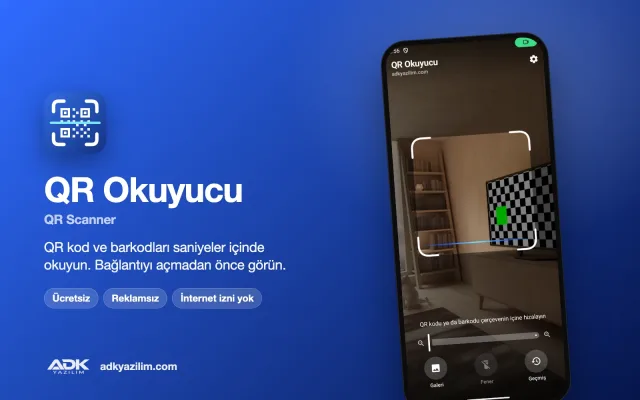
This QR code generator is a free Windows program that turns your website link, Wi-Fi password, business card or location into a scannable code in seconds. It produces high-resolution, print-ready codes for menus, leaflets, product packaging, business cards and shop window posters.
The program shows no ads, needs no account and works offline. The codes it creates are static: the information is written directly into the code and there is no redirecting server in between. That means a code will not stop working because a subscription has ended; it keeps scanning for as long as the link or information inside it remains valid.
What can you do?
A QR type for every need
There are separate, easy-to-fill forms for web links, Wi-Fi (network name, password and security type), vCard business cards (name, job title, phone, email, address), WhatsApp chats (number and pre-filled message), map locations, email, SMS and plain text. With a Wi-Fi code your guests join your network without typing a password, and a business card code adds a contact to the phone’s address book with a single tap.
Logo, colours and frame
Place your logo in the middle of the code, pick foreground and background colours to match your brand, and adjust the corner shapes and quiet zone. When you add a logo the program automatically raises the error correction level, so the code stays readable even with part of it covered. Dark colours on a light background scan most reliably, and the program warns you if the contrast is too low.
PNG, SVG and PDF output
Save PNG files at any pixel size for screens and the web, SVG files that scale without losing quality for professional printing and large formats, or PDF files for printing straight away. You can also copy a code to the clipboard and paste it into your design software.
Bulk QR codes from Excel
There is no need to create codes one by one for hundreds of products, tables or staff members. Choose your Excel or CSV file, tell the program which column holds the content and which holds the file name, and it creates a separate code for every row and saves them to a folder. Excel does not need to be installed on your computer.
Print sheet
Arrange bulk-generated codes on an A4 page in a grid, each with a caption underneath, and print them. You decide the number of rows and columns, the code size and the margins.
How to use it
- Download, install and open the program.
- Choose a QR type and fill in the form; the preview updates instantly.
- Adjust the logo, colours and corner shape if you wish.
- Test the code by scanning it with your phone, then save it as PNG, SVG or PDF.
- For bulk creation, open the Bulk tab and select your Excel or CSV file.
Privacy and permissions
Codes are generated entirely on your computer; the links, Wi-Fi passwords and contact details you enter are never sent to a server. The program does not need an internet connection, collects no usage statistics, shows no ads and sells no data. Static codes do not count scans, so the program has no idea who scanned a code or when.
System requirements
Windows 10 or Windows 11 (64-bit), at least 2 GB of RAM and around 100 MB of free disk space. Any printer set up in Windows can be used for the print sheet.
The content of a static code cannot be changed once it has been printed. Scan the code with several different phones before printing; if the content may change, point the code at a web address you control. The program is not affiliated with WhatsApp; a WhatsApp code only contains the link that opens a chat.
For branded design templates, trackable dynamic codes or a version integrated with your own systems, you can request a quote from ADK Yazılım.
主な機能
- Link, Wi-Fi, vCard, WhatsApp, location, email, SMS and text QR codes
- Centre logo with automatic error correction level
- Foreground and background colours, corner shape and quiet zone
- Low-contrast warning and live preview
- Save as PNG (any size), SVG and PDF
- Bulk QR generation from Excel or CSV files
- A4 print sheet with grid layout and captions
- Static codes: they never expire and need no subscription
- Works offline, sends no data, no ads